MFA Configuration
Audit MFA configuration
Salesforce requires Multi-Factor Authentication for all direct UI logins. This check audits your org's MFA configuration and reports gaps that violate that requirement.
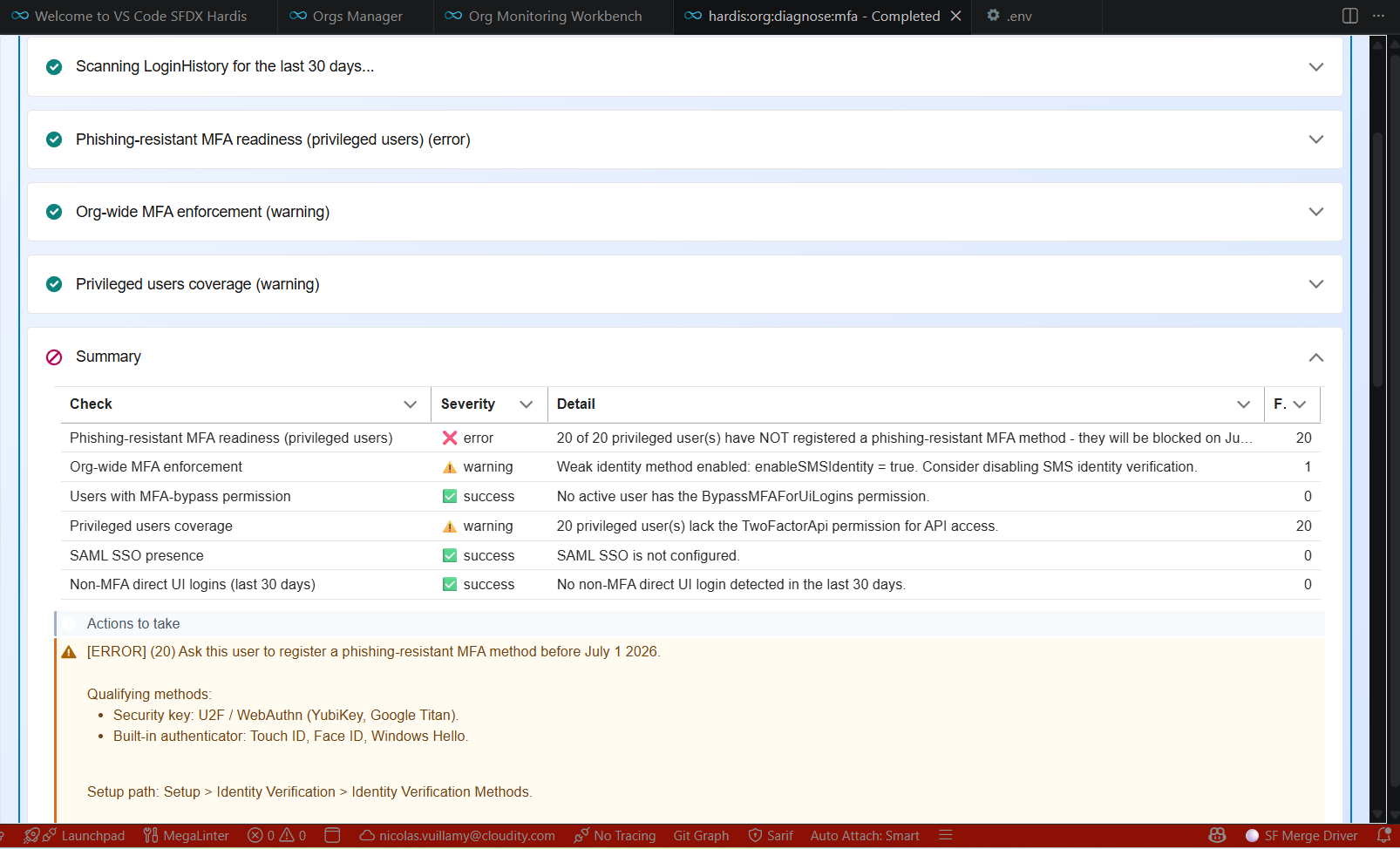
It runs five independent checks and emits a single MFA_CONFIG notification with the consolidated findings:
- Org-wide MFA enforcement: inspects session settings and recent login history to confirm MFA is enforced at the platform level.
- Users with the MFA-bypass permission: lists active Standard users assigned to a Profile or Permission Set that grants
PermissionsBypassMFAForUiLogins. - Privileged users coverage: for users with
ModifyAllData,ViewAllData,CustomizeApplication, orAuthorApex, checks whether they bypass MFA or lack the API MFA permission. - SSO presence: detects SAML SSO and reminds you to verify MFA is asserted at the Identity Provider.
- Non-MFA direct UI logins: scans
LoginHistoryover a configurable window (default 30 days) for confirmed logins without strong authentication.
Sfdx-hardis command: sf hardis:org:diagnose:mfa
Key: MFA_CONFIG
Report example
Severity
- error if org-wide MFA enforcement is missing, any privileged user has the bypass permission, or any non-MFA direct UI login was detected.
- warning for other findings (non-privileged bypass user, privileged users missing API MFA, weak identity setting, or SSO enabled without an asserted IdP MFA policy).
- log when every check passes.
Excluding users
Break-glass and integration accounts can be excluded from the checks with:
- The
--ignore-usersflag (comma-separated usernames). - The
monitoringMfaIgnoreUsersproject config key. - The
MONITORING_MFA_IGNORE_USERSenv var (comma-separated).
Users with UserType != 'Standard' (integration users, Chatter Only, etc.) are never flagged in per-user checks.