hardis:doc:flow2markdown
Description
Command Behavior
Generates comprehensive Markdown documentation from a Salesforce Flow metadata file.
This command automates the creation of human-readable documentation for Salesforce Flows, making it easier to understand their logic and behavior. It can process a single Flow file or multiple Flow files, generating a Markdown file for each.
Key features include:
- Detailed Flow Description: Extracts and presents the Flow's structure, elements, and decision logic in a clear, organized Markdown format.
- AI-Powered Summarization (Optional): If AI integration is configured, the documentation will include an AI-generated summary of the Flow's purpose and functionality.
- Mermaid Diagram Generation: Integrates with Mermaid to visualize the Flow's structure, providing a graphical representation alongside the textual description.
- History Diff (Optional): Can generate a Markdown file showing the historical differences of the Flow, useful for tracking changes over time.
- PDF Export (Optional): Allows for the generation of the documentation in PDF format for easy sharing and archiving.
- Interactive File Selection: If no input file is specified, the command interactively prompts the user to select Flow files.
Technical explanations
The command leverages several internal utilities and external libraries to achieve its functionality:
- Flow Metadata Parsing: Reads and parses the XML content of Salesforce Flow metadata files (.flow-meta.xml).
- Markdown Generation: Utilizes
generateFlowMarkdownFileto transform the parsed Flow data into a structured Markdown format. - Mermaid Integration: Employs
generateMarkdownFileWithMermaidto embed Mermaid diagrams within the Markdown output, which are then rendered by compatible Markdown viewers. - AI Integration: If enabled, it interacts with an AI service (via
describeWithAioption) to generate a high-level summary of the Flow. - Git History Analysis: For the
--with-historyflag, it usesgenerateHistoryDiffMarkdownto analyze Git history and present changes to the Flow. - File System Operations: Uses Node.js
fsfor file system operations like reading input files, creating output directories (e.g.,docs/flows/), and writing Markdown and PDF files. - Salesforce CLI Integration: Uses
@salesforce/sf-plugins-corefor command-line parsing andsetConnectionVariablesfor Salesforce organization context. - WebSocket Communication: Interacts with a WebSocket client (
WebSocketClient.requestOpenFile) to open the generated Markdown file in a VS Code tab, enhancing user experience.
Agent Mode
Supports non-interactive execution with --agent:
sf hardis:doc:flow2markdown --agent
In agent mode, all interactive prompts are skipped and default values are used.
Screenshots
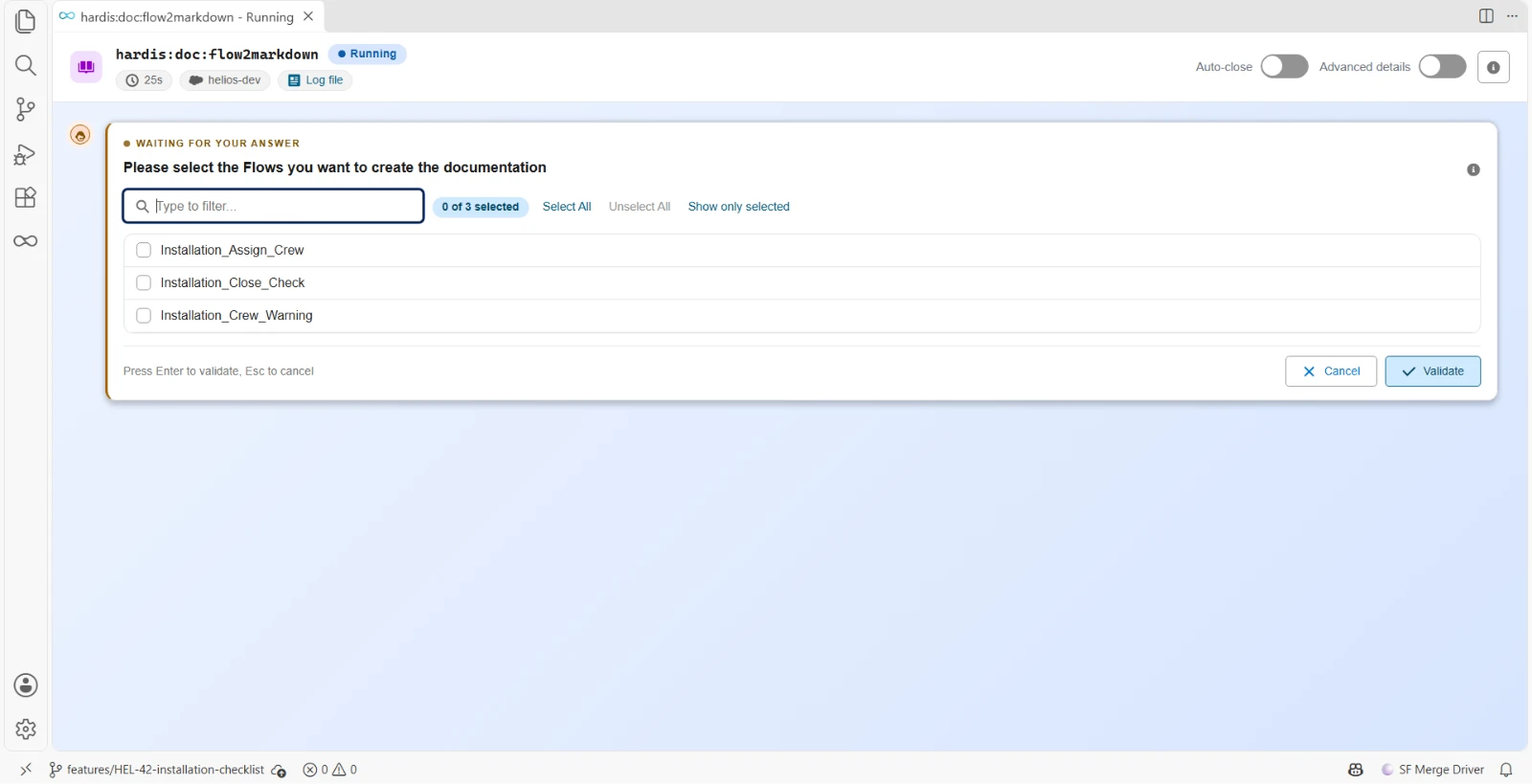
Pick the flows of the project to document
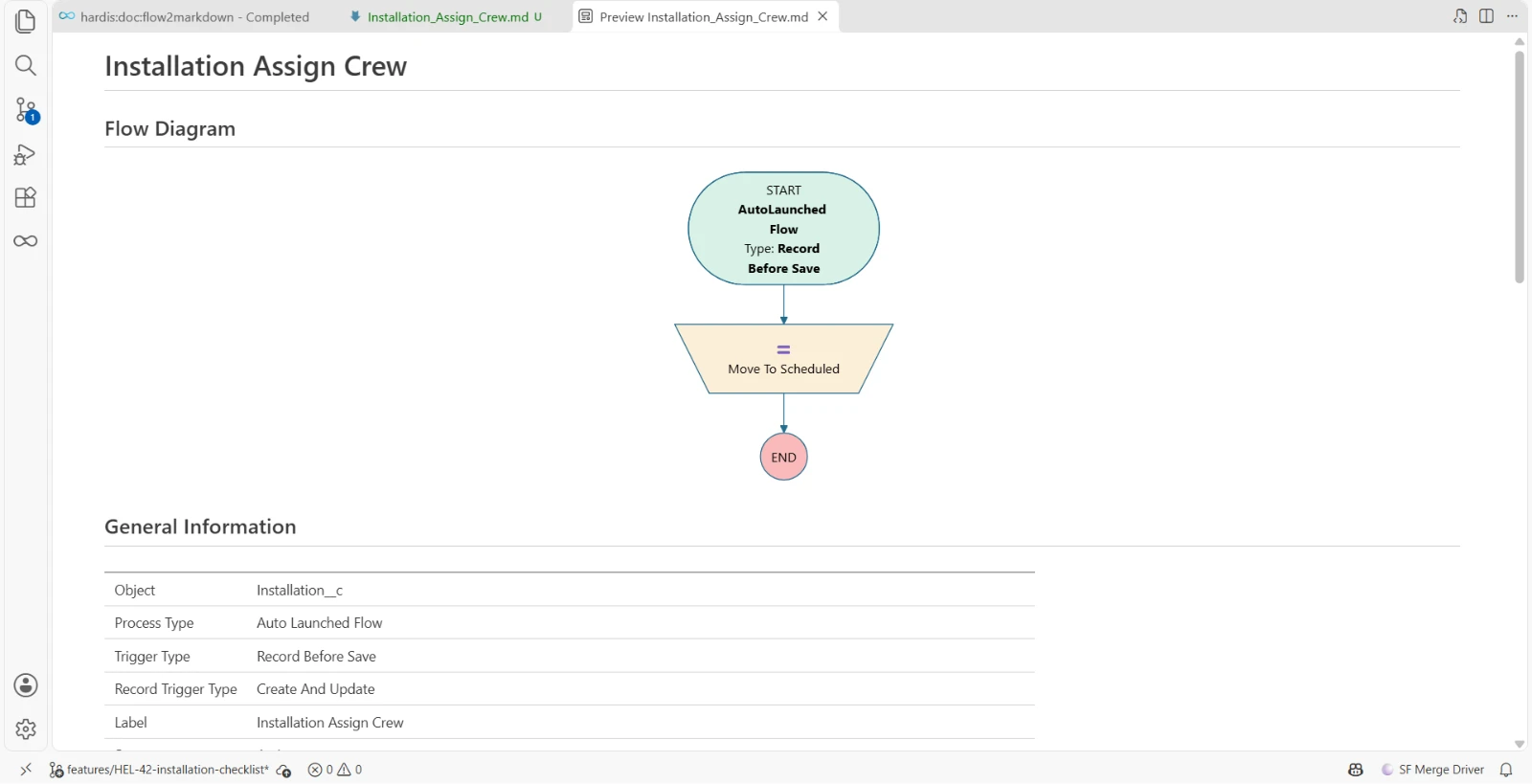
The Installation_Assign_Crew flow documented in Markdown, with its diagram and general information, in the VS Code preview
Parameters
| Name | Type | Description | Default | Required | Options |
|---|---|---|---|---|---|
| agent | boolean | Run in non-interactive mode for agents and automation | |||
| debug -d |
boolean | Activate debug mode (more logs) | |||
| flags-dir | option | Import flag values from a directory. | |||
| inputfile -x |
option | Path to Flow metadata file. If not specified, the command will prompt the user | |||
| json | boolean | Format output as json. | |||
| outputfile -f |
option | Force the path and name of output markdown file. Must end with .md | |||
| boolean | Also generate the documentation in PDF format | ||||
| skipauth | boolean | Skip authentication check when a default username is required | |||
| target-org -o |
option | Username or alias of the target org. | |||
| websocket | option | Websocket host:port for VsCode SFDX Hardis UI integration | |||
| with-history | boolean | Generate a markdown file with the history diff of the Flow |
Examples
$ sf hardis:doc:flow2markdown
$ sf hardis:doc:flow2markdown --agent
$ sf hardis:doc:flow2markdown --inputfile force-app/main/default/flows/MyFlow.flow-meta.xml
$ sf hardis:doc:flow2markdown --pdf
$ sf hardis:doc:flow2markdown --inputfile force-app/main/default/flows/MyFlow.flow-meta.xml --pdf