hardis:project:audit:apiversion
Description
This command identifies metadata with an apiVersion lower than the value specified in the --minimumapiversion parameter.
It can also update the apiVersion to a specific value: - When --fix parameter is provided (updates to minimumapiversion) - When --newapiversion is specified (updates to that version)
Example to handle ApexClass / Trigger & ApexPage mandatory version upgrade :
sf hardis:project:audit:apiversion --metadatatype ApexClass,ApexTrigger,ApexPage --minimumapiversion 45 --newapiversion 50
Agent Mode
Supports non-interactive execution with --agent:
sf hardis:project:audit:apiversion --agent
In agent mode, all interactive prompts are skipped and default values are used.
Screenshots
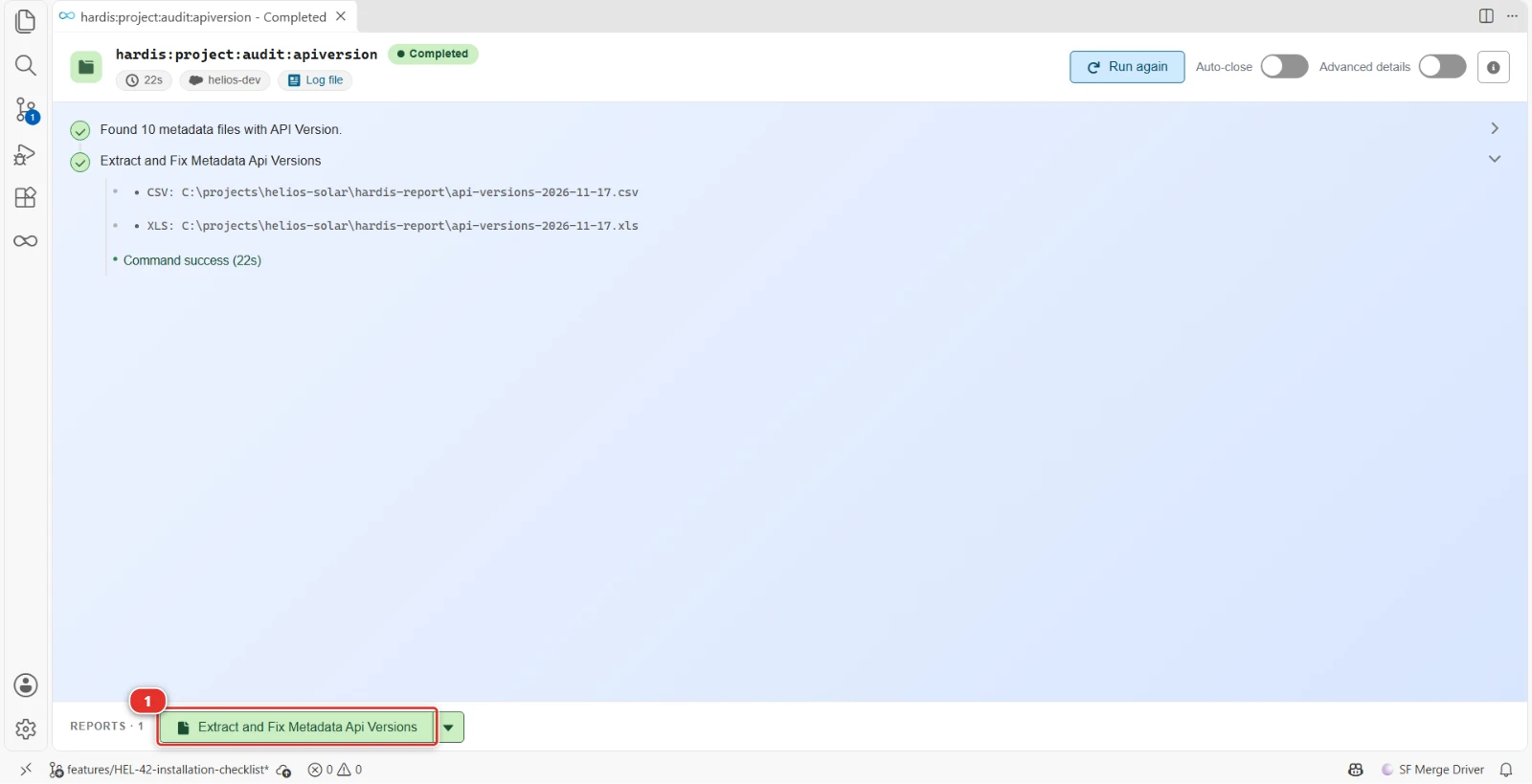
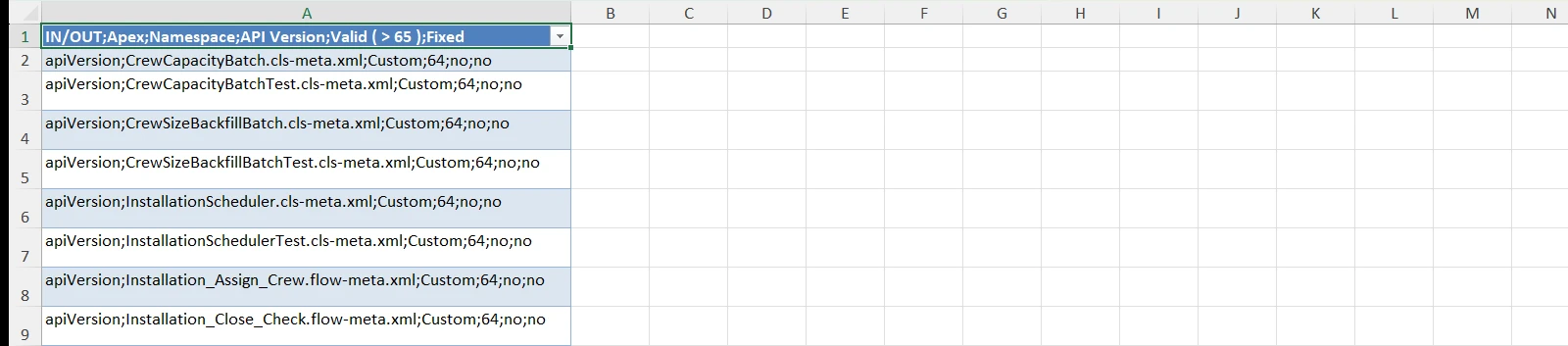
The API version of the Apex and Visualforce files of the Helios project, checked against a minimum of 65, in a CSV report
- (1) The report of the run: the button opens it in Excel, the arrow lists its other files
Reports
The command writes these reports in the hardis-report folder of the project: a CSV file, and its Excel copy (XLSX) in the xls sub-folder.
API versions
One row per metadata file audited, with its API version and whether it is below the minimum version, to find what to upgrade.
Files: api-versions-*.csv, xls/api-versions-*.xlsx
Parameters
| Name | Type | Description | Default | Required | Options |
|---|---|---|---|---|---|
| agent | boolean | Run in non-interactive mode for agents and automation | |||
| debug -d |
boolean | Activate debug mode (more logs) | |||
| failiferror -f |
boolean | Fails (exit code 1) if an error is found | |||
| fix | boolean | Automatically update API versions in files that are below the minimum version threshold to match the minimum version | |||
| flags-dir | option | Import flag values from a directory. | |||
| json | boolean | Format output as json. | |||
| metadatatype | option | Metadata Types to fix. Comma separated. Supported Metadata types: ApexClass, ApexTrigger, ApexPage | |||
| minimumapiversion -m |
option | Minimum allowed API version | 20 | ||
| newapiversion -n |
option | Define an API version value to apply when updating files | |||
| skipauth | boolean | Skip authentication check when a default username is required | |||
| websocket | option | Websocket host:port for VsCode SFDX Hardis UI integration |
Examples
$ sf hardis:project:audit:apiversion
$ sf hardis:project:audit:apiversion --agent
$ sf hardis:project:audit:apiversion --metadatatype ApexClass,ApexTrigger,ApexPage --minimumapiversion 45
$ sf hardis:project:audit:apiversion --metadatatype ApexClass,ApexTrigger,ApexPage --minimumapiversion 45 --fix
$ sf hardis:project:audit:apiversion --metadatatype ApexClass,ApexTrigger,ApexPage --minimumapiversion 45 --newapiversion 50