Host on Salesforce
Host on Salesforce org
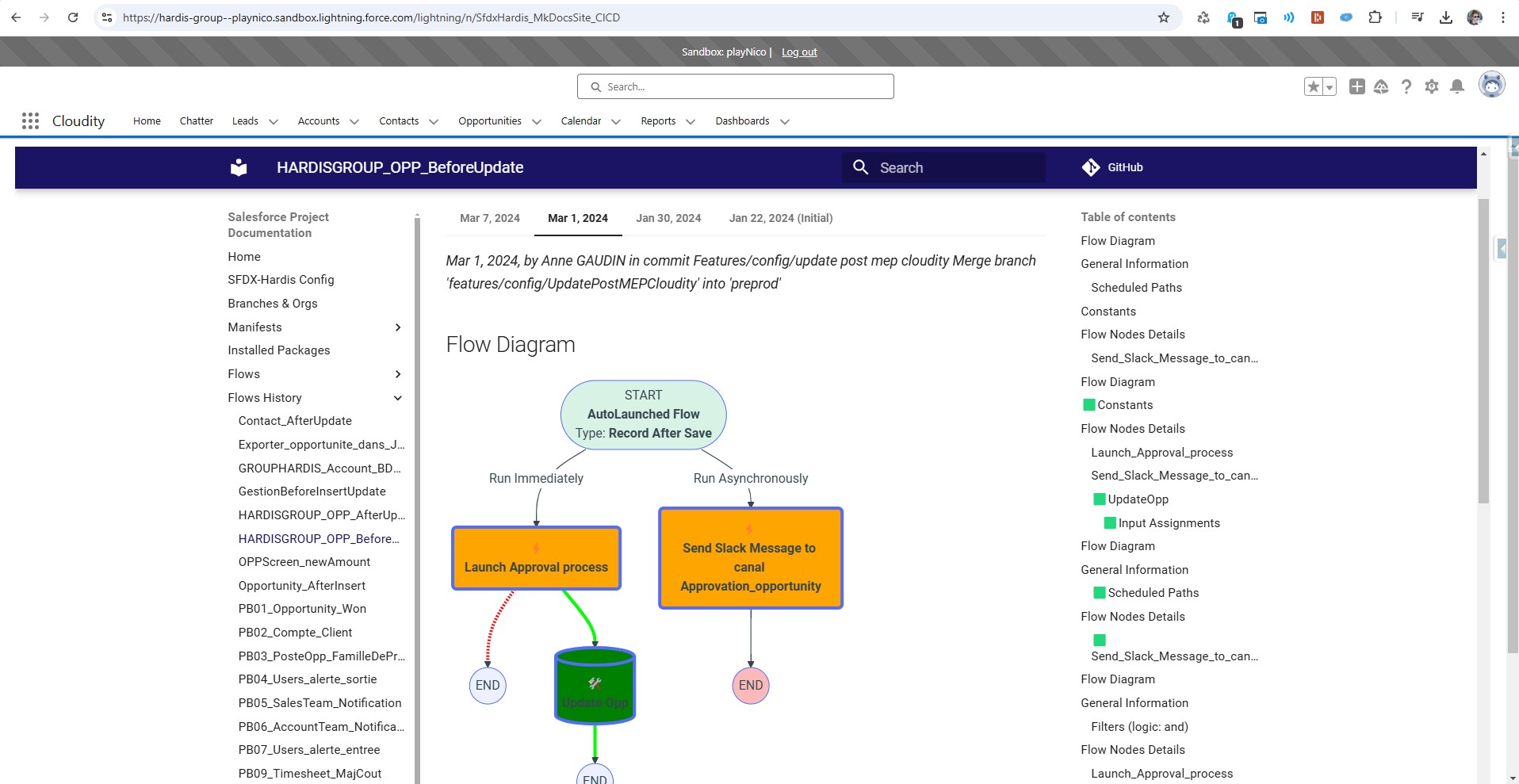
You can also host the HTML documentation directly in your Salesforce org.
If you have too much metadata, the pages will be too big for a single static resource. In that case, consider self-hosting your documentation website on Cloudflare or on your own secured HTTP server.
Manually
- Run command Documentation Generation -> Upload HTML Doc to Salesforce
- Corresponding command line:
sf hardis:doc:mkdocs-to-salesforce
- Corresponding command line:
- Set the generated Custom Tab as
Default Onon your Profile if necessary
- Assign the generated Permission Set to the users who need access to the SFDX Doc tab
- Add the tab in a Lightning Application (optional)
From CI/CD
If using sfdx-hardis Monitoring, just set the variable SFDX_HARDIS_DOC_DEPLOY_TO_ORG=true (or the .sfdx-hardis.yml property docDeployToOrg: true).
If using custom pipelines, add sf hardis:doc:project2markdown --with-history then sf hardis:doc:mkdocs-to-salesforce in your workflow.