Email Integration
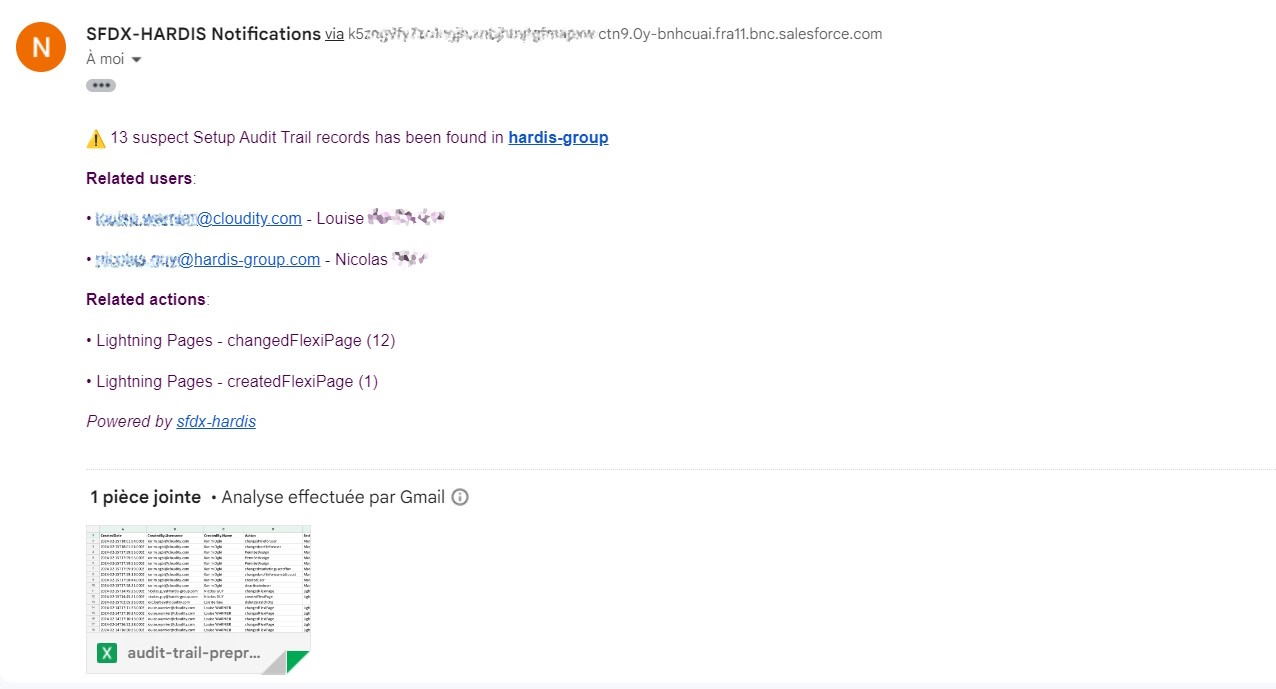
You can receive notifications at one or several email addresses when sfdx-hardis events happen:
- Deployment from a major branch to a major Salesforce org (e.g. integration git branch to Integration org)
- Salesforce Org Monitoring
- Latest updates
- Failing Apex tests
- Monitoring checks notifications
Note: Salesforce email sending capabilities are used, so every email counts against the daily email limit of your org.
Configuration
Define the CI/CD variable NOTIF_EMAIL_ADDRESS with the recipient address(es).
Examples:
NOTIF_EMAIL_ADDRESS=admin@cloudity.comNOTIF_EMAIL_ADDRESS=admin@cloudity.com,another.user@cloudity.com,nico@cloudity.com
You can also target additional recipients per branch (NOTIF_EMAIL_ADDRESS_<BRANCH>) or per notification type (NOTIF_EMAIL_ADDRESS_<TYPE>), e.g. NOTIF_EMAIL_ADDRESS_AUDIT_TRAIL=security@cloudity.com.
Per notification type recipients (YAML)
In addition to the env-var-based recipients above, you can configure email recipients directly in .sfdx-hardis.yml per notification type, with optional severity threshold. This is useful to redirect a specific notification (e.g. AUDIT_TRAIL, UNSECURED_CONNECTED_APPS) to a dedicated mailing list without polluting the main recipients.
monitoringCommands:
  - key: AUDIT_TRAIL
    notifications:
      email:
        threshold: warning           # only warning / error / critical
        recipients:
          - security@company.com
          - audit-team@company.com
        replaceRecipients: true      # ignore env-var recipients for this type
  - key: BACKUP
    notifications:
      email:
        recipients:
          - devops@company.com       # appended to env-var recipients
See Monitoring configuration for the full per-channel routing model.
Troubleshooting
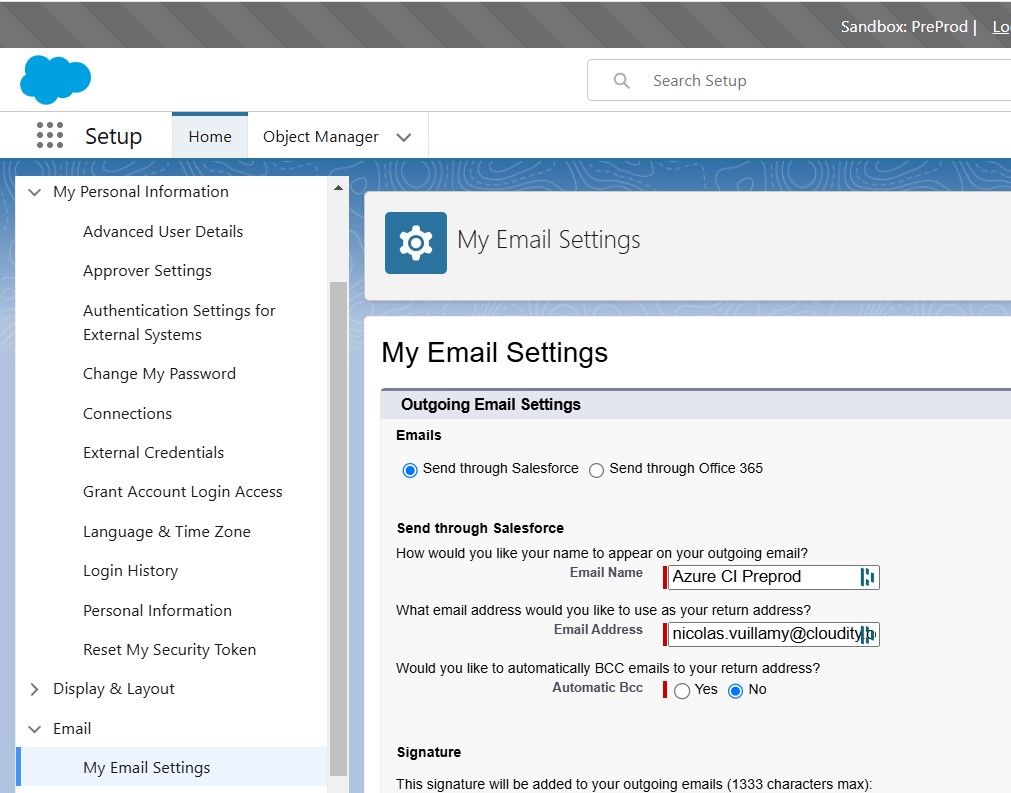
If the emails are not sent, apply the following configuration in the settings of the Monitoring / Deployment user:
- Send through Salesforce
That's all, you're all set.