Overview
Salesforce Project Documentation
Turn your Salesforce project into a beautiful, searchable documentation website with a single command. Every Flow, Object, Profile, Apex class, and Lightning Page becomes browsable, AI-explained, and version-tracked.
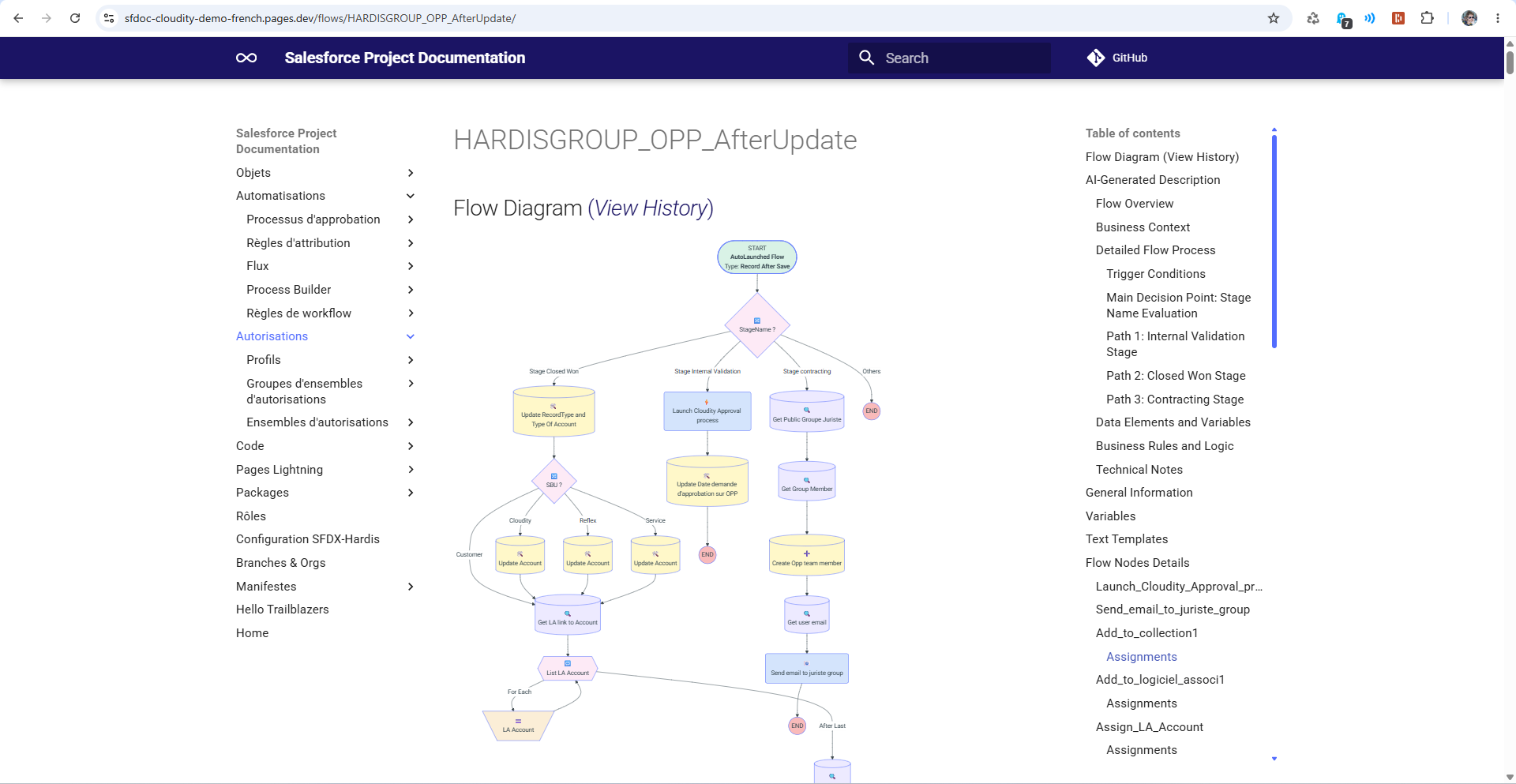
Activate AI integration to add natural-language explanations and visual Flow diff history to your docs.
Why generate it?
- Onboard faster: new developers and admins explore the org without opening Setup.
- Track changes: visualize how Flows evolve over time with diff history.
- Share knowledge: publish the documentation as a static website, on Confluence, or inside Salesforce itself.
- Stay in sync: regenerate on demand, or wire it into sfdx-hardis Monitoring to keep it automatically up to date.
What gets documented
Data Model
- Objects with fields, validation rules, relationships, and dependencies
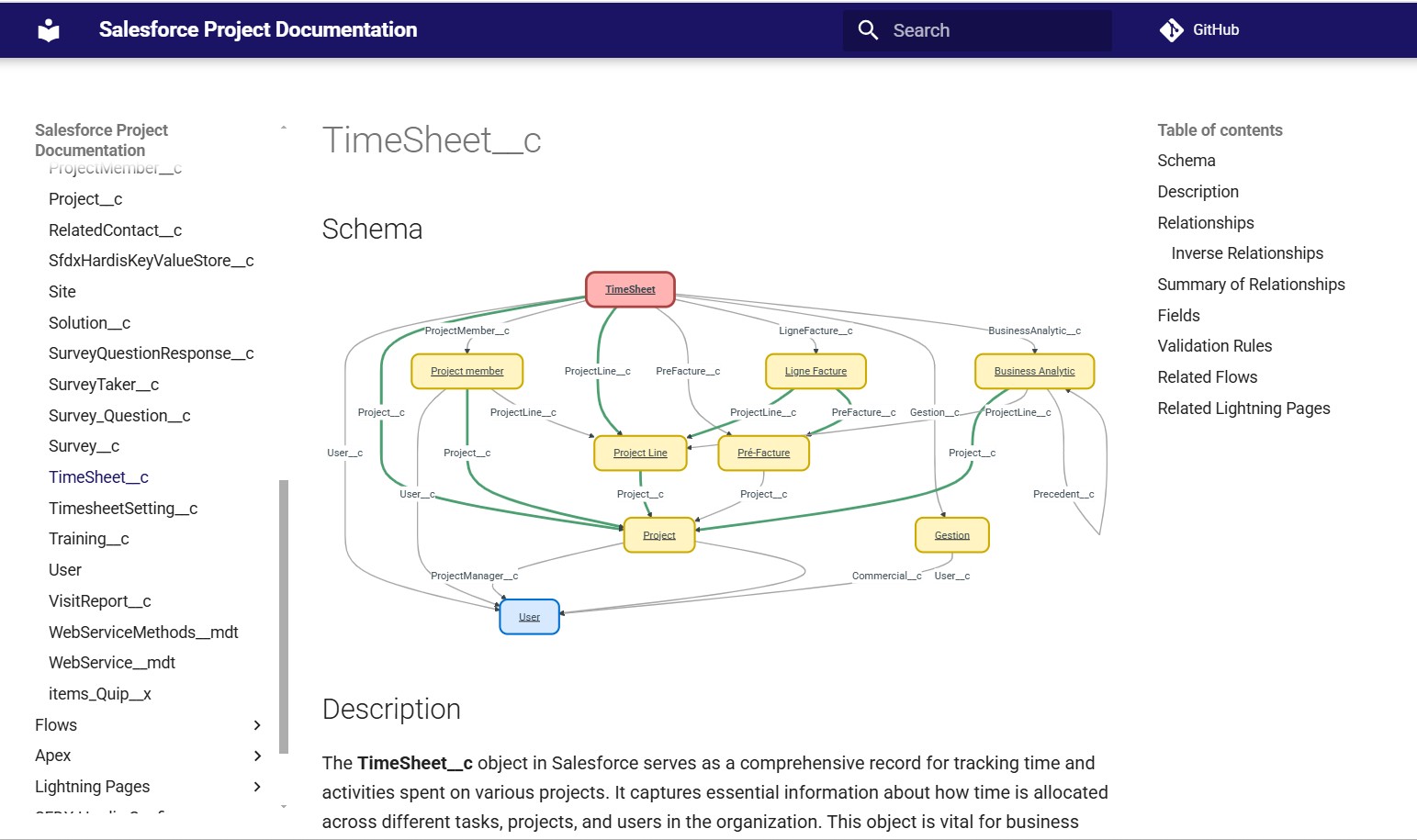
- Object diagrams
Automations
- Approval Processes
- Assignment Rules
- AutoResponse Rules
- Escalation Rules
- Flows (with visual diff history)
Authorizations
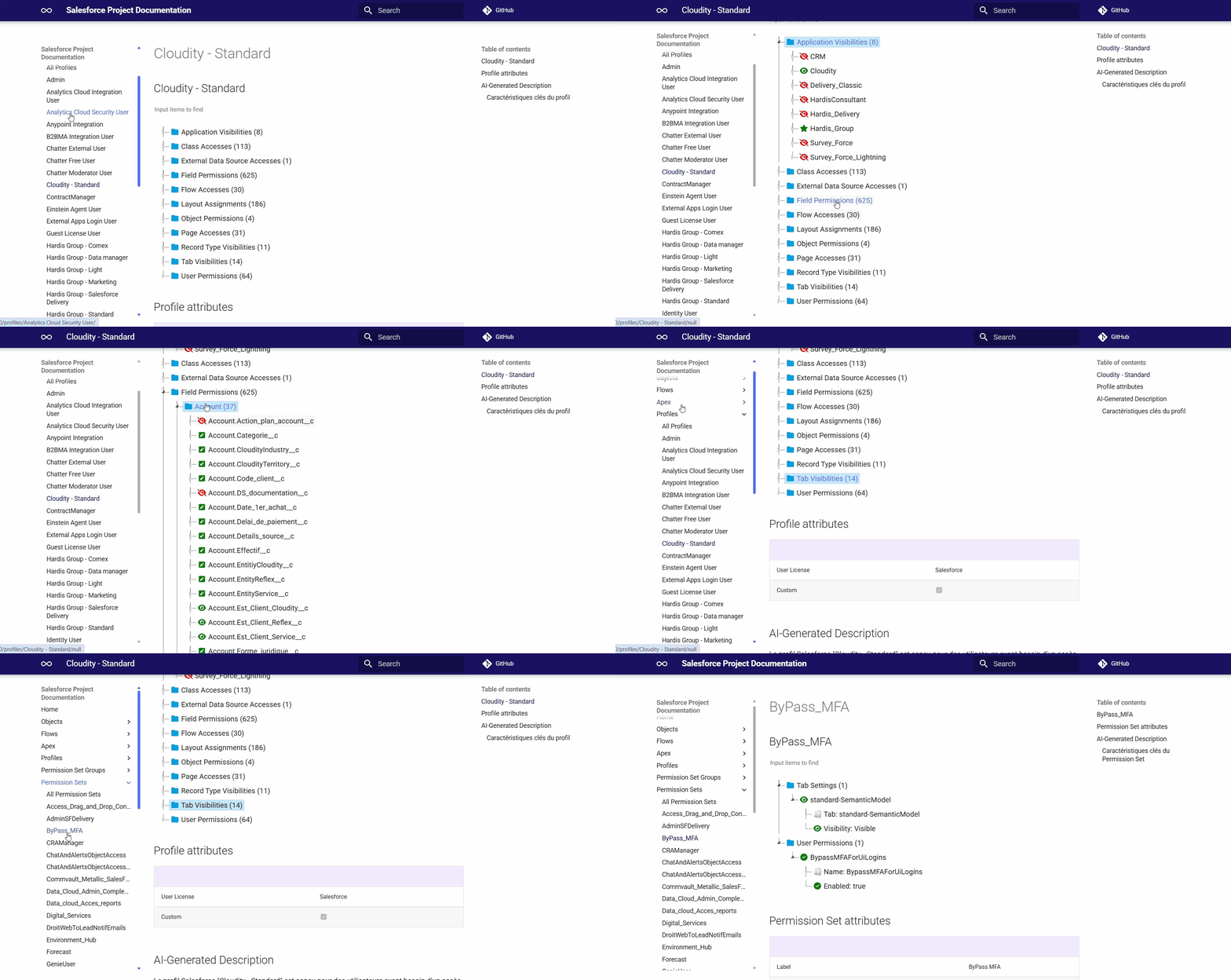
- Profiles
- Permission Sets
- Permission Set Groups
Code
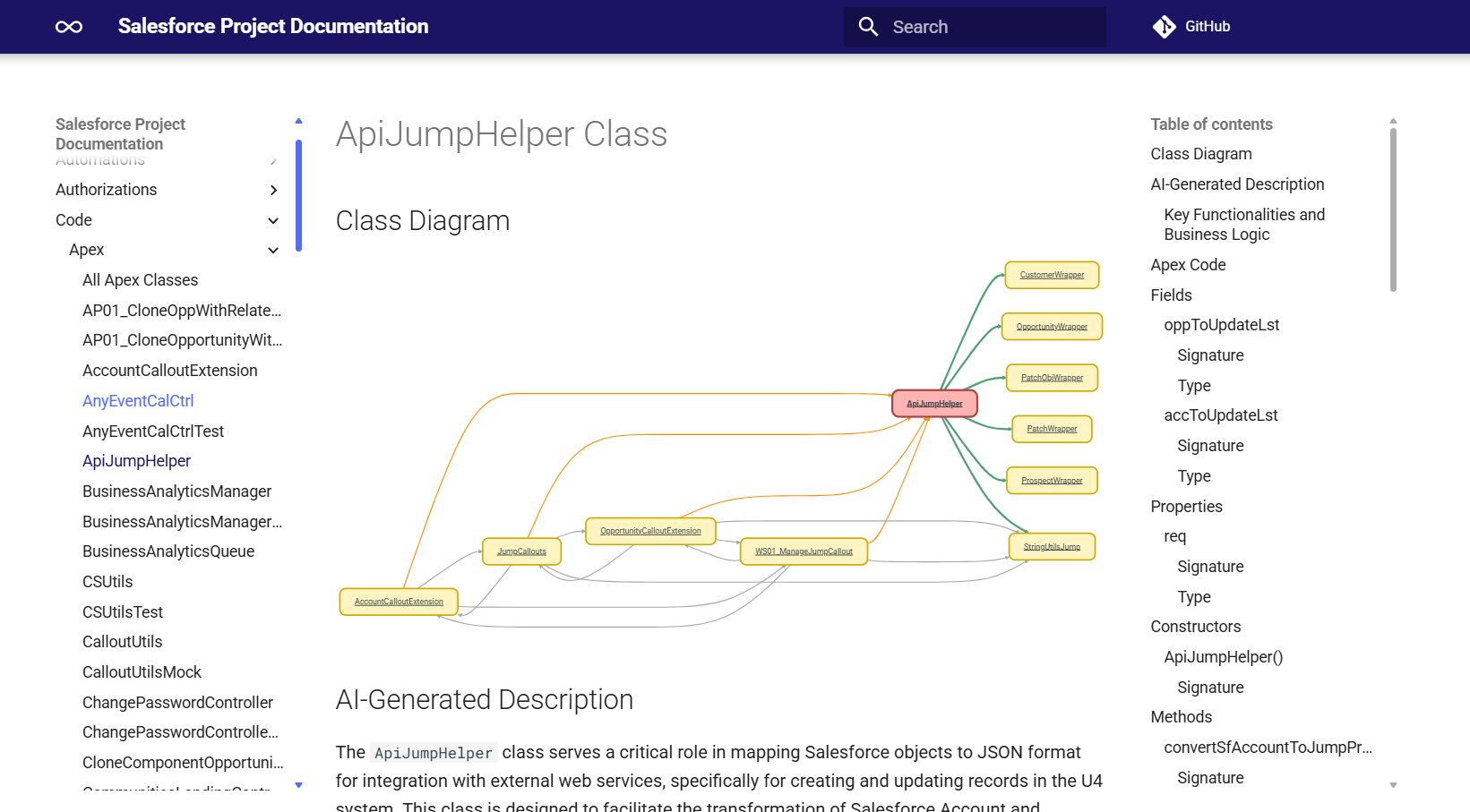
- Apex classes and triggers
- Lightning Web Components
- Visualforce pages and components, with the metadata that uses them
- Aura components, with the metadata that uses them
Configuration
- Lightning Pages
- Packages
- Manifests
- sfdx-hardis configuration
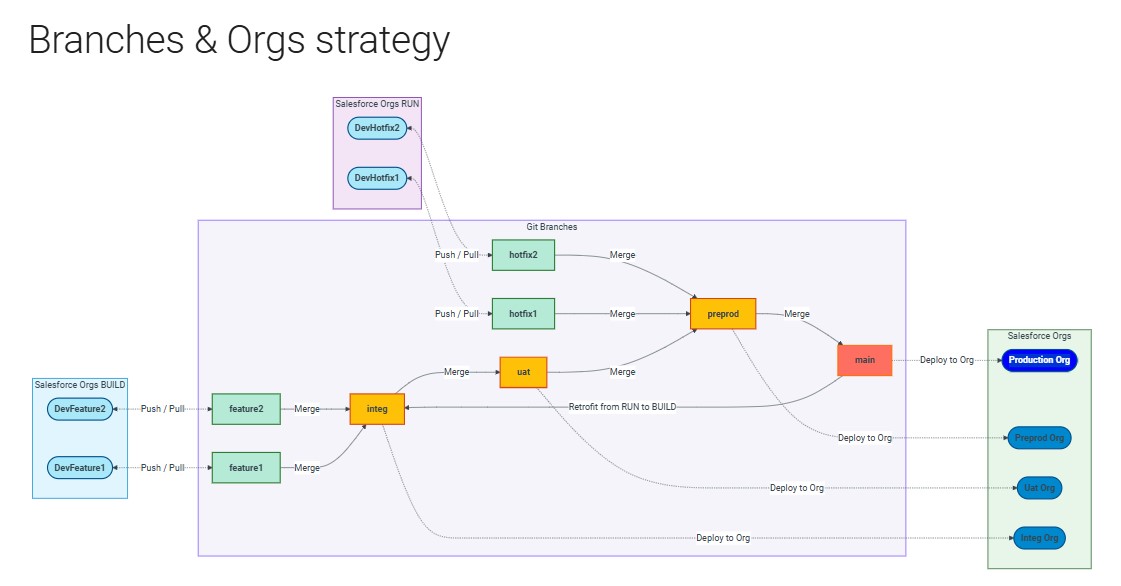
- Branches and orgs strategy (CI/CD projects)
A look inside
Object diagrams show relationships at a glance.
Apex classes are documented with AI-generated summaries.
Profiles and Permission Sets become searchable and reviewable.
For sfdx-hardis CI/CD projects, a branches and orgs strategy diagram is also generated.
Publish anywhere
The output is plain Markdown powered by Zensical, so you can:
- Self-host as a static website (GitHub Pages, GitLab Pages, Azure Static Web Apps, Cloudflare Pages...).
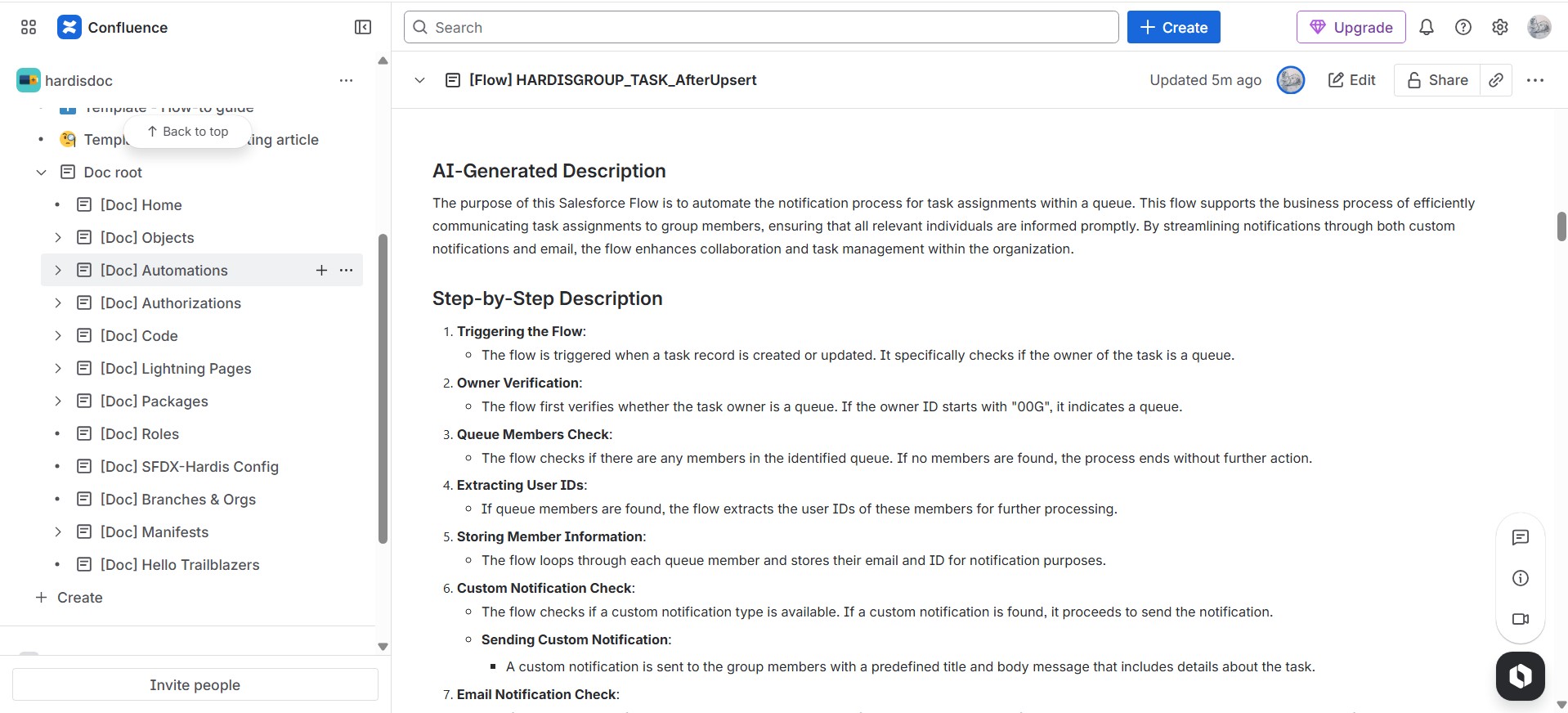
- Push to Confluence with
hardis:doc:mkdocs-to-confluence. - Embed in Salesforce with
hardis:doc:mkdocs-to-salesforce.
Next steps
- Generate your documentation: step-by-step guide.
- Enhance it with AI: configure prompts and improve content quality.
- Set up AI integration: connect to your preferred LLM provider.