hardis:org:diagnose:unsecure-permissions
Description
Command Behavior
Audits dangerous permissions granted through Profiles, Permission Sets and Permission Set Groups, and resolves which active users hold them.
Dangerous permissions are broad administrative, identity, sharing-bypass, data-theft or control-weakening rights (for example Modify All Data, Author Apex, Manage Users, View All Data, Weekly Data Export). They are grouped into criticality tiers, from Tier 0 (full org compromise) to Tier 4 (control weakening).
Key functionalities:
- Two sources: Analyze a connected org via SOQL (
--source org, default), local metadata files (--source local), or both (--source both). - User and object permissions: Detects both user permissions (
Permissions*) and object permissions (View All / Modify All per object). - Assignments: In org mode, resolves which active users hold each dangerous permission and through which container, with their last login date.
- Configurable list: The built-in list is additive: use
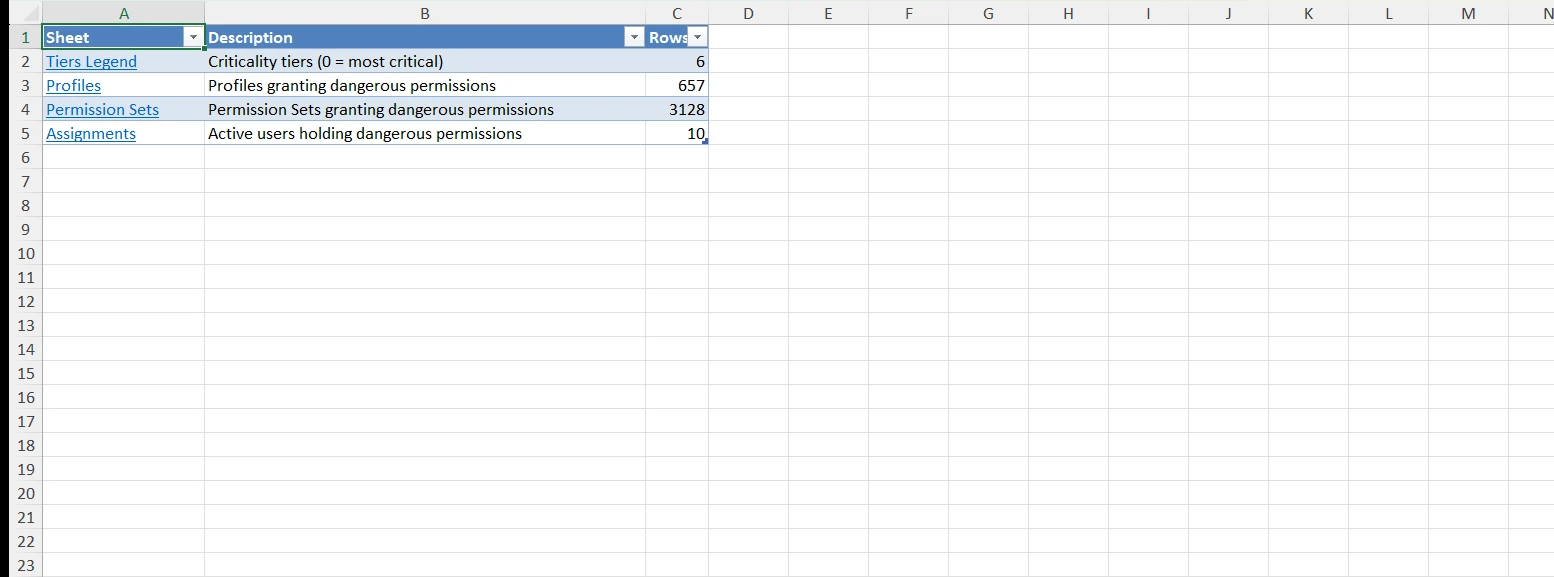
dangerousPermissionsExtra(orDANGEROUS_PERMISSIONS_EXTRA) to add permissions anddangerousPermissionsIgnore(orDANGEROUS_PERMISSIONS_IGNORE) to remove them. - Excel report: Generates a multi-sheet Excel file with an Index sheet linking to a Tiers Legend, Profiles, Permission Sets, Permission Set Groups and Assignments sheets. Columns and rows are auto-sized.
Technical explanations
- Field availability: Describes the
PermissionSetobject and keeps only the dangerous permission fields that exist in the org, so a missing field never breaks the query. - Containers: Queries
PermissionSet(profile-owned and standalone) for user permissions andObjectPermissionsfor View All / Modify All. Permission Set Groups are resolved throughPermissionSetGroupComponent. - Assignments: Queries
PermissionSetAssignmentfor active users, resolving group membership so permissions granted through a Permission Set Group are attributed to their users. - Local mode: Parses
.profile-meta.xml,.permissionset-meta.xmland.permissionsetgroup-meta.xmlfiles. Assignments cannot be resolved offline and the Assignments sheet is omitted. - Report: Uses
createXlsxFromCsvFileswith a post-processing step that turns Index cells into internal hyperlinks and adds a "Back to Index" link on every other sheet.
Agent Mode
Supports non-interactive execution with --agent:
sf hardis:org:diagnose:unsecure-permissions --agent --target-org myorg@example.com
The command has no interactive prompts, so agent mode behaves like a normal run. Use --source to control what is analyzed and --outputfile to set the report path.
Screenshots
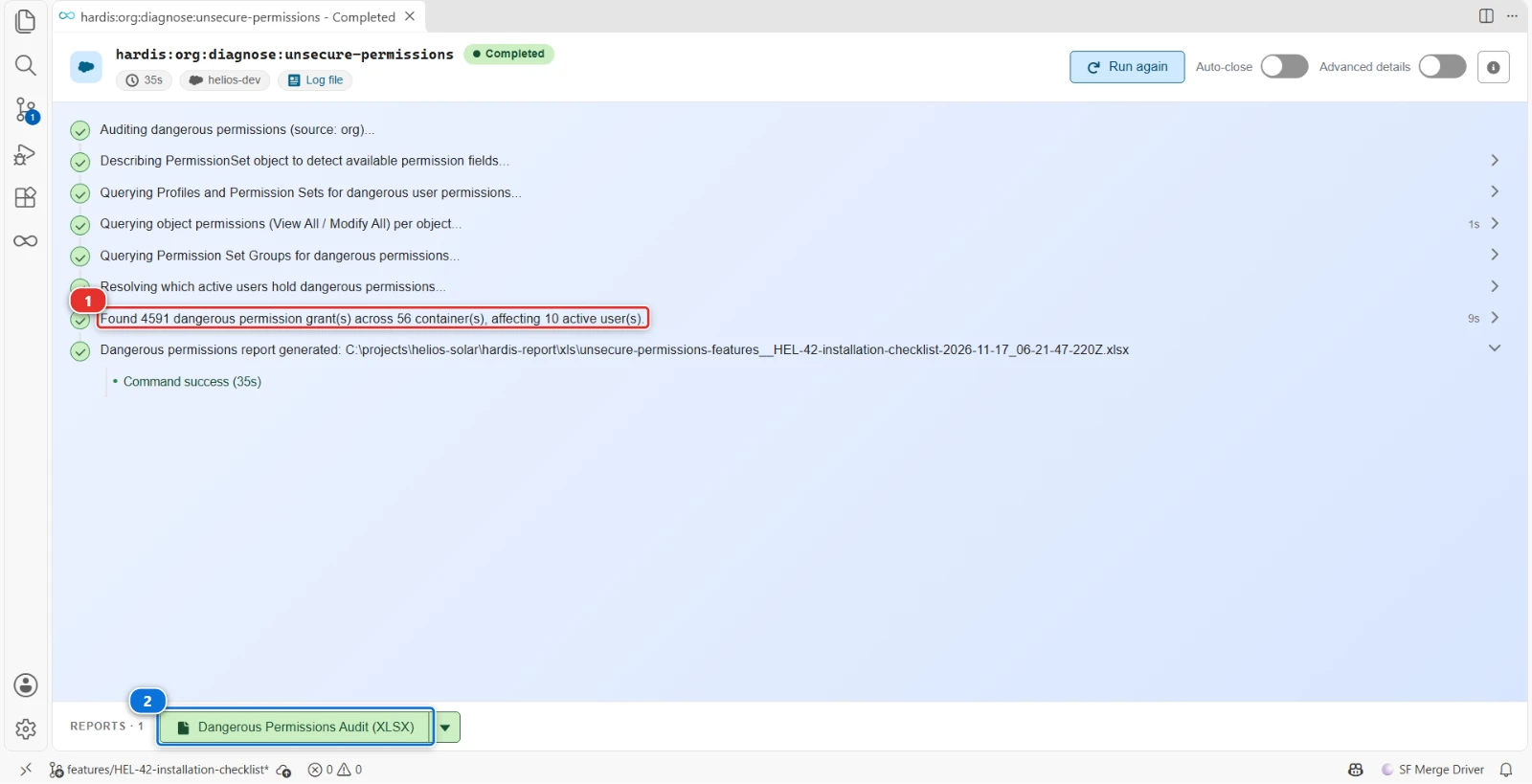
Dangerous permissions such as Modify All Data granted by profiles and permission sets, with the active users holding them
- (1) Grants found and the number of active users they reach
- (2) A sheet each for profiles, permission sets, groups and users, with a criticality tier
Reports
The command writes these reports in the hardis-report folder of the project: a CSV file, and its Excel copy (XLSX) in the xls sub-folder.
Dangerous permissions
One workbook with a sheet each for the profiles, permission sets, permission set groups and users that hold dangerous permissions, with a criticality tier per row.
Files: unsecure-permissions-*.csv, xls/unsecure-permissions-*.xlsx
Parameters
| Name | Type | Description | Default | Required | Options |
|---|---|---|---|---|---|
| agent | boolean | Run in non-interactive mode for agents and automation | |||
| debug -d |
boolean | Activate debug mode (more logs) | |||
| flags-dir | option | Import flag values from a directory. | |||
| json | boolean | Format output as json. | |||
| outputfile -f |
option | Force the path and name of output report file. Must end with .csv | |||
| skipauth | boolean | Skip authentication check when a default username is required | |||
| source -s |
option | Where to read permission definitions from: org (SOQL), local (metadata files) or both | org | org local both |
|
| target-org -o |
option | Username or alias of the target org. | |||
| websocket | option | Websocket host:port for VsCode SFDX Hardis UI integration |
Examples
$ sf hardis:org:diagnose:unsecure-permissions
$ sf hardis:org:diagnose:unsecure-permissions --source local
$ sf hardis:org:diagnose:unsecure-permissions --source both
$ sf hardis:org:diagnose:unsecure-permissions --agent --target-org myorg@example.com