hardis:org:configure:generic-prompt
Description
Command Behavior
Deploys the SfdxHardisGenericPrompt GenAiPromptTemplate metadata to a Salesforce org, enabling AI prompt integration via sfdx-hardis.
Key functionalities include:
- Org Selection: Prompts the user to select a target org (defaults to the current default org). In agent mode, uses the org provided via
--target-org. - Deployment Confirmation: Asks the user to confirm the deployment before proceeding.
- Metadata Deployment: Deploys the
SfdxHardisGenericPrompt.genAiPromptTemplate-meta.xmlfile to the selected org using the Metadata API. - Production Org Handling: If the target org is a production org, automatically selects a test class to satisfy Salesforce test requirements.
- Permission Set Assignment: Checks if the
EinsteinGPTPromptTemplateUserPermission Set exists in the org and optionally assigns it to the current user.
Agent Mode
When --agent is specified:
- The org provided via --target-org is used without prompting for org selection.
- Deployment proceeds without confirmation prompts.
- If the EinsteinGPTPromptTemplateUser Permission Set exists, it is assigned automatically.
Technical explanations
- Metadata Structure: At runtime, a temporary MDAPI-format directory is created containing the
genAiPromptTemplates/subdirectory and apackage.xmlmanifest. The source file is read fromdefaults/utils/SfdxHardisGenericPrompt.genAiPromptTemplate-meta.xmlin the sfdx-hardis package. - Production Org Detection: Uses
isProductionOrg()to determine if the target org is a production org. For production orgs,RunSpecifiedTestsis used with a test class found by queryingApexClassvia the Tooling API. - Test Class Selection: Checks the
SFDX_HARDIS_TECH_DEPLOY_TEST_CLASSenvironment variable first, then queries the org for an Apex class with "Test" in its name. - Permission Set Check: Queries the org for the
EinsteinGPTPromptTemplateUserPermission Set before prompting for assignment. - Deployment: Uses
deployMetadatas()fromdeployUtils.tswith--metadata-dirpointing to the temporary MDAPI directory.
Screenshots
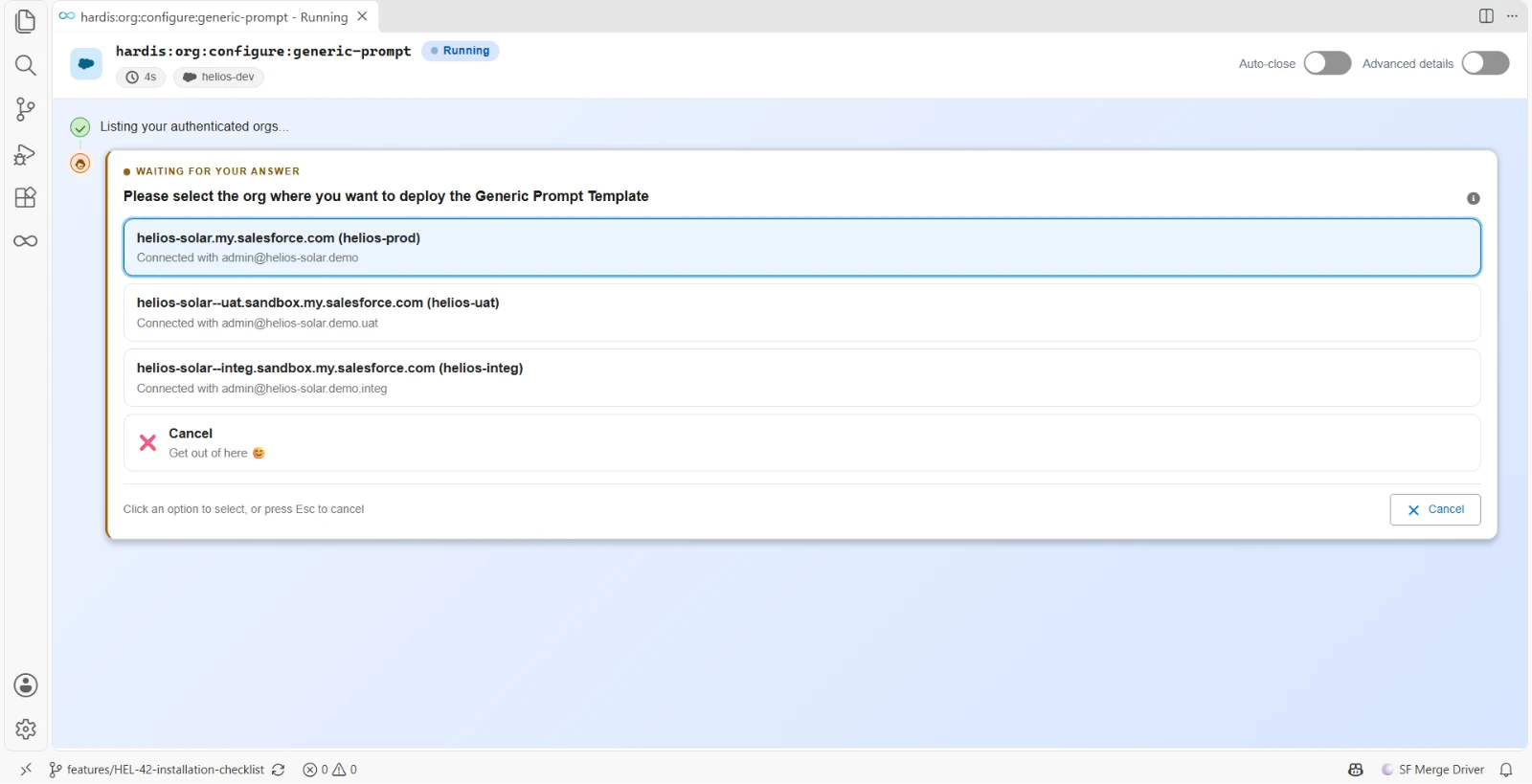
Pick the org where the prompt template is deployed
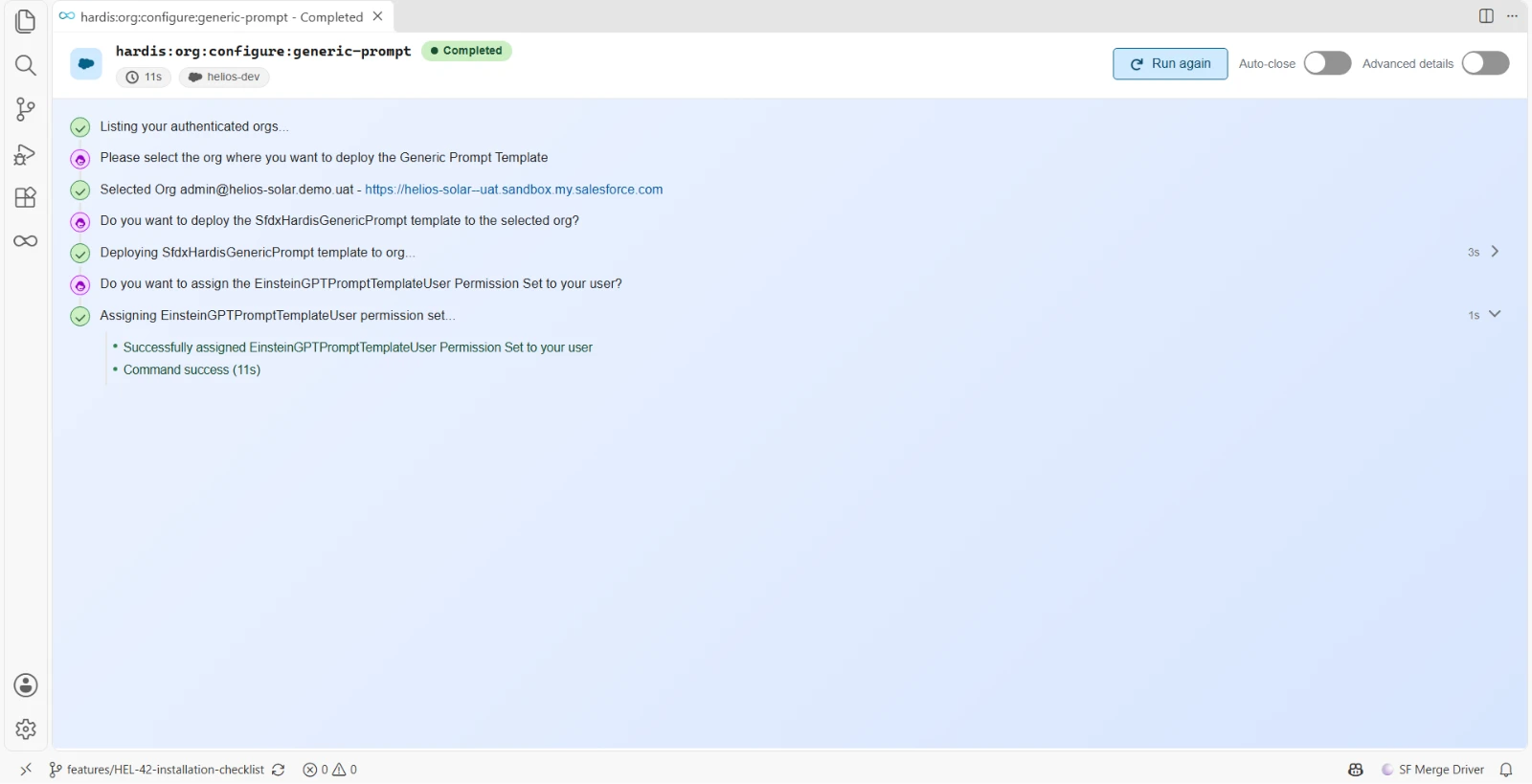
The generic prompt template that sfdx-hardis AI features call is deployed in the org, and its permission set assigned
Parameters
| Name | Type | Description | Default | Required | Options |
|---|---|---|---|---|---|
| agent | boolean | Run in non-interactive mode for agents and automation | |||
| debug -d |
boolean | Activate debug mode (more logs) | |||
| flags-dir | option | Import flag values from a directory. | |||
| json | boolean | Format output as json. | |||
| skipauth | boolean | Skip authentication check when a default username is required | |||
| target-org -o |
option | Username or alias of the target org. Not required if the target-org configuration variable is already set. |
true | ||
| websocket | option | Websocket host:port for VsCode SFDX Hardis UI integration |
Examples
$ sf hardis:org:configure:generic-prompt
$ sf hardis:org:configure:generic-prompt --agent