Source retrieve issues
Source retrieve issues
Sometimes sf hardis:scratch:pull does not retrieve every element you updated in your org.
The most usual cases are updates on:
- CustomApplication
- RecordType
You have three ways to get the missing metadata.
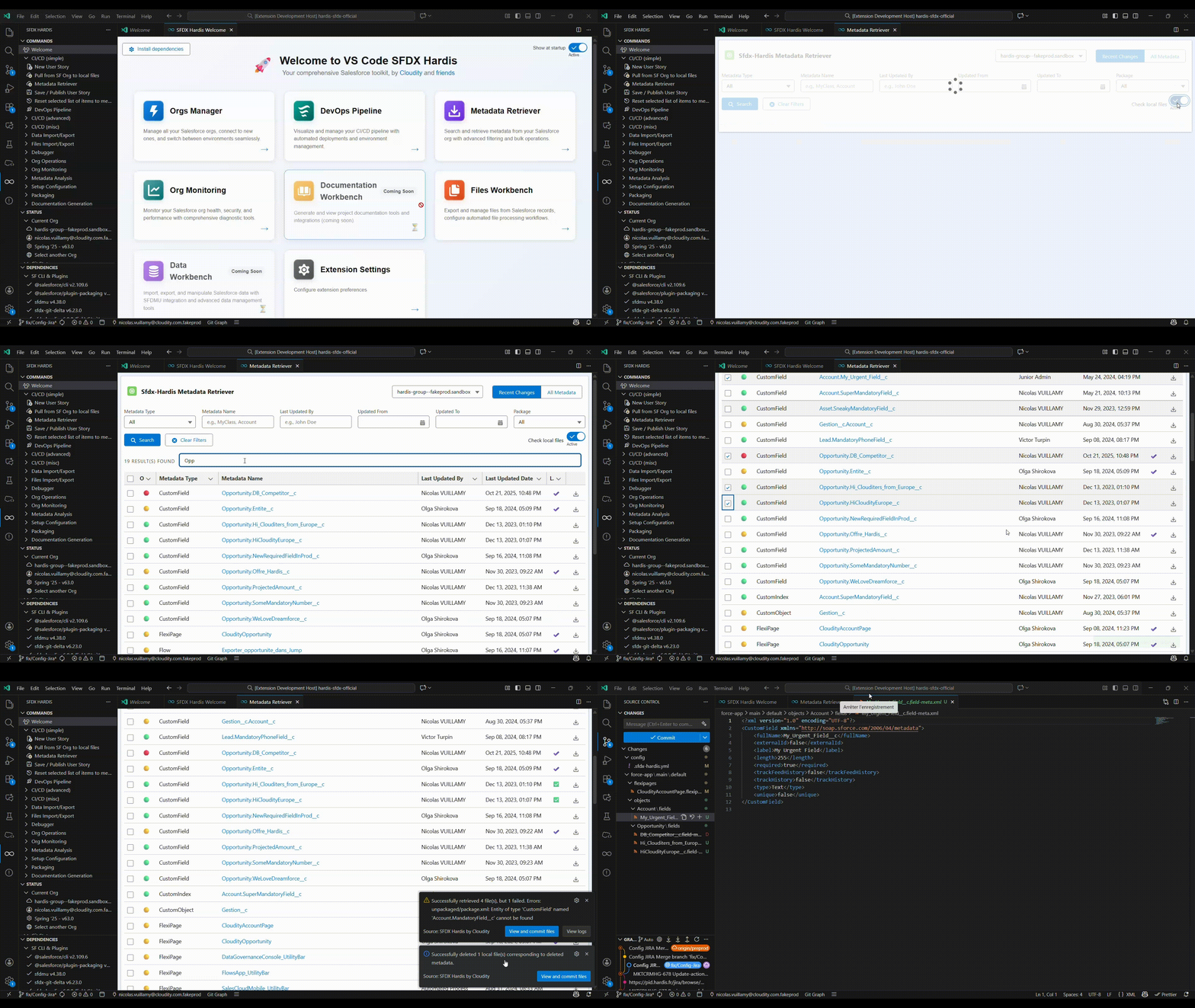
Metadata Retriever (recommended)
Use the Metadata Retriever panel of the VS Code SFDX Hardis extension to pick exactly the metadata to retrieve from your org, then commit it.
Automated retrieve after each pull
Declare the metadata that is often missed in the autoRetrieveWhenPull property of .sfdx-hardis.yml: sfdx-hardis retrieves it automatically after each pull.
autoRetrieveWhenPull:
  - CustomApplication
  - RecordType:Account.Customer
See the autoRetrieveWhenPull property in the configuration reference.
Select and retrieve command
You can also use the command  to retrieve metadata manually. It pulls a lot of metadata, so you have to carefully select what you commit.
Under the hood
See details in the hardis:source:retrieve command documentation