Azure Pipelines
Pre-requisites
If you are building a CI/CD pipeline, follow the steps in Configure Integrations between sfdx-hardis and Azure Pipelines to create your pipelines.
Define sfdx-hardis environment variables
- Go to Project -> Pipelines
- Select your pipeline
- Click on Edit, then on Variables
- Enter the variable name and value
- Don't forget to click on Save
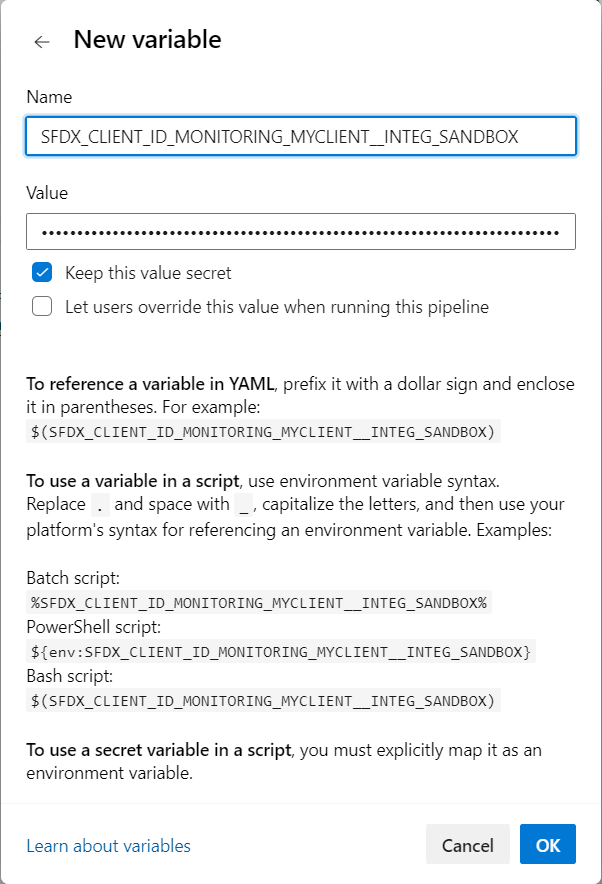
More info: Azure documentation
Reference variables in your pipeline YAML files
Once you have defined your secret variables in Azure Pipelines, reference them in your pipeline YAML files with the syntax VARIABLE_NAME: $(VARIABLE_NAME), so that their values are passed to the pipeline.
Example:
          SFDX_CLIENT_ID_MY_ORG: $(SFDX_CLIENT_ID_MY_ORG)
          SFDX_CLIENT_KEY_MY_ORG: $(SFDX_CLIENT_KEY_MY_ORG)
Impacted YAML files, if present in your repository:
azure-pipelines-checks.ymlazure-pipelines-deployment.ymlazure-pipelines.yml
Auto-fix branches
Default CI templates skip steps that run sf hardis commands when the current branch starts with auto-fix/.
This prevents recursive or redundant deploy/check executions on auto-generated fix branches.