Bitbucket
Cloning the repository from VS Code
If you have trouble authenticating to Bitbucket from VS Code, create an App Password in your Bitbucket personal settings.
Pre-requisites
There are no pre-requisites
Run sfdx-hardis configuration command
- Run command Configuration -> Configure Org Monitoring in the VS Code SFDX Hardis extension, then follow the instructions.
Define sfdx-hardis environment variables
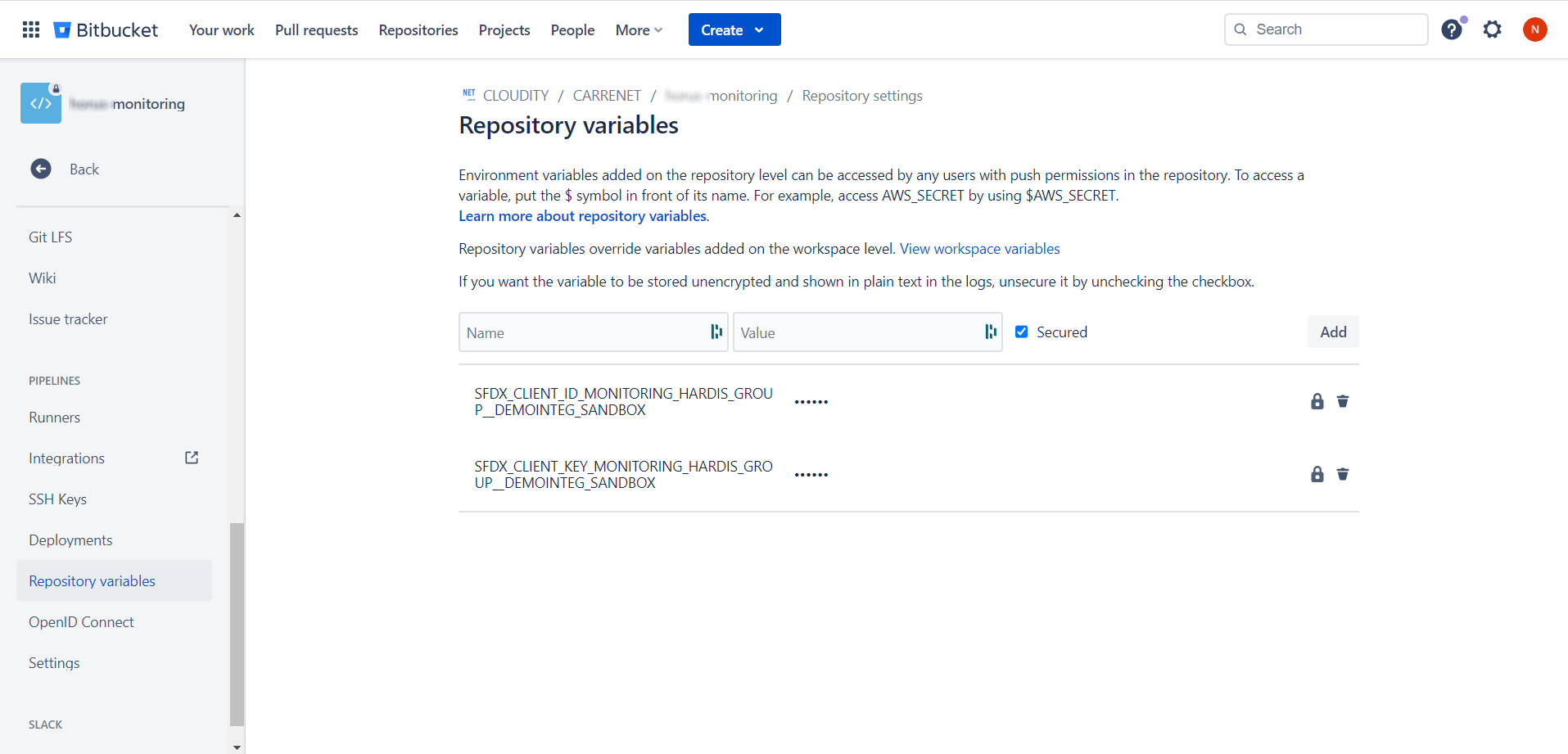
- Go to Project -> Repository Settings > Repository Variables (you must have Bitbucket authorizations to access this menu)
- For each variable the sfdx-hardis command Configure org monitoring tells you to define, create it with the name and value given in the sfdx-hardis command logs
Schedule the monitoring job
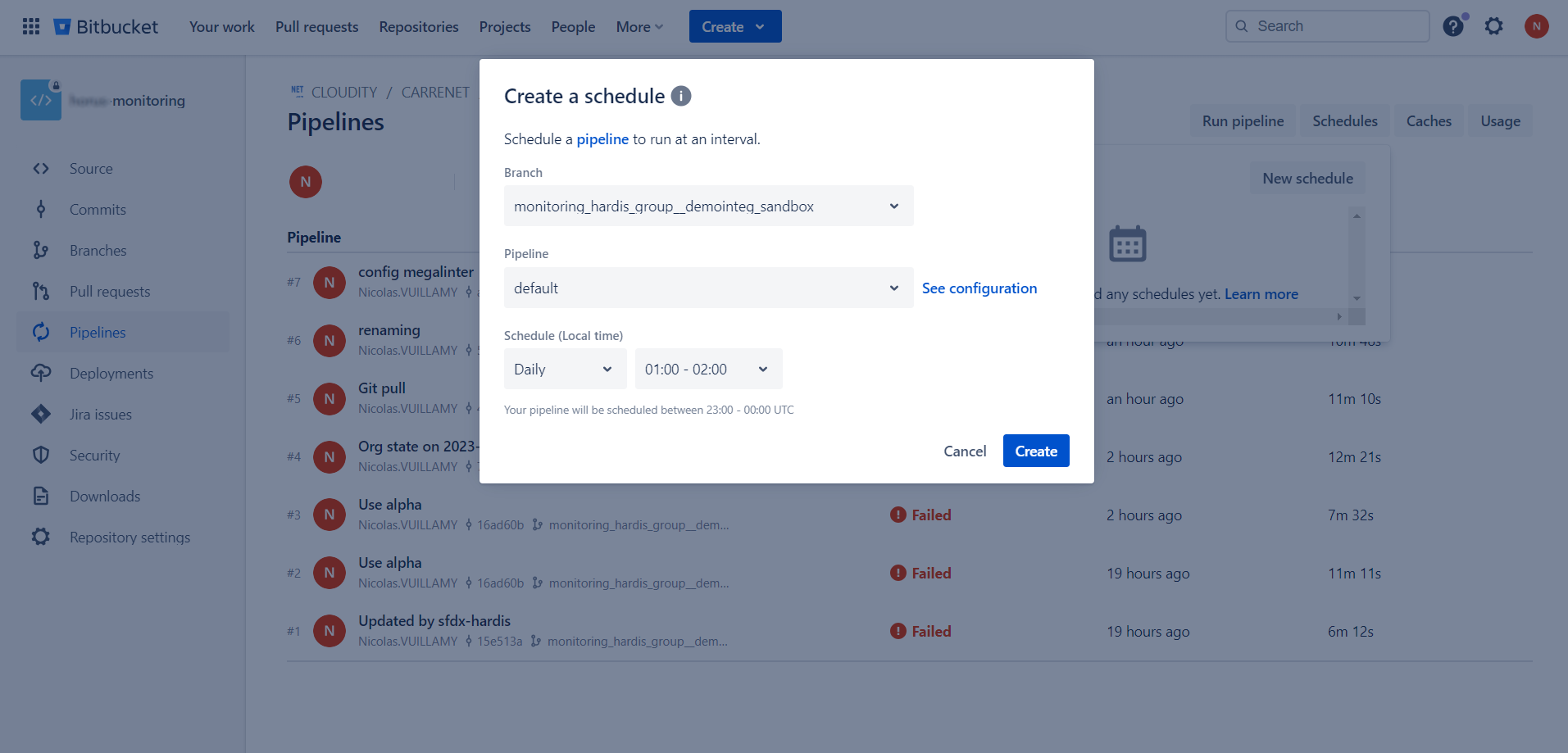
- Go to Project -> Pipelines -> Schedules
- Click on New schedule
- Select the target branch corresponding to the org you want to monitor
- Select default pipeline
- Select Schedule Daily and a time slot when no one works (for example
01:00 - 02:00) - Validate by clicking on Create