Deploy to major orgs
Deploy to major orgs
Minor and major branches
Minor branches are the individual git branches of the User Stories. They do not have an associated CI/CD org.
Major branches are the git branches that have an associated CI/CD org: each new commit in a major branch automatically triggers a deployment to that org.
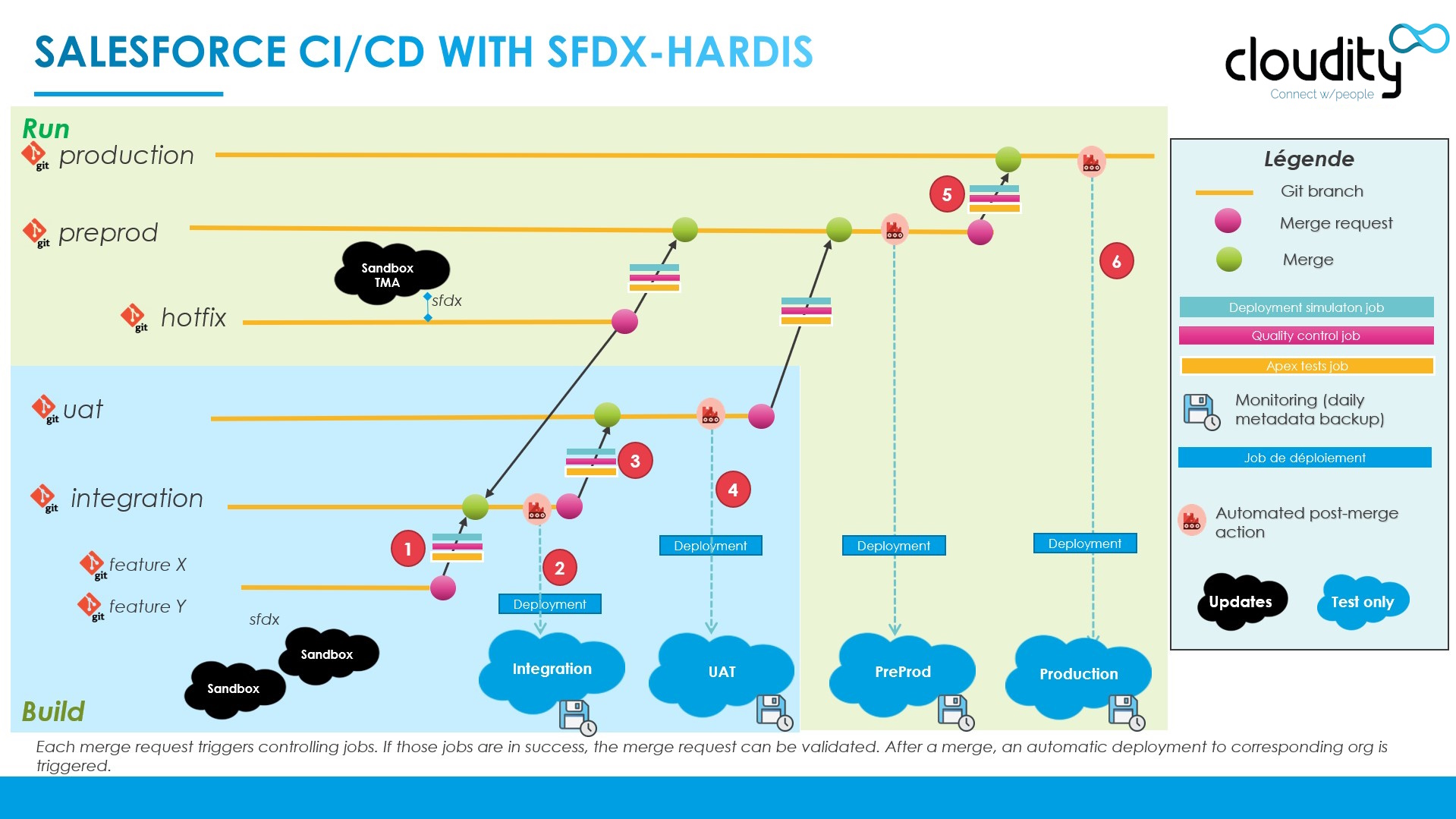
Examples:
- Minor to major: when a Pull Request (Merge Request on GitLab) from
feature/crm-123tointegration(A) is validated and merged, a new state (commit) is detected in branchintegration, so the CI server automatically deploys to theIntegrationorg (B)
- Major to major: when a Pull Request from
integrationtouat(C) is validated and merged, a new state (commit) is detected in branchuat, so the CI server automatically deploys to theUATorg (D)
- Major to major: when a Pull Request from
uattopreprod(E) is validated and merged, a new state (commit) is detected in branchpreprod, so the CI server automatically deploys to thePreprodorg (F)
- Major to major: when a Pull Request from
preprodtomain(G) is validated and merged, a new state (commit) is detected in branchmain, so the CI server automatically deploys to theProductionorg (H)
Pull Requests between major branches
A Pull Request between two major branches promotes everything that has been merged into the source branch since its last promotion: all the User Stories, their tickets and their deployment actions.
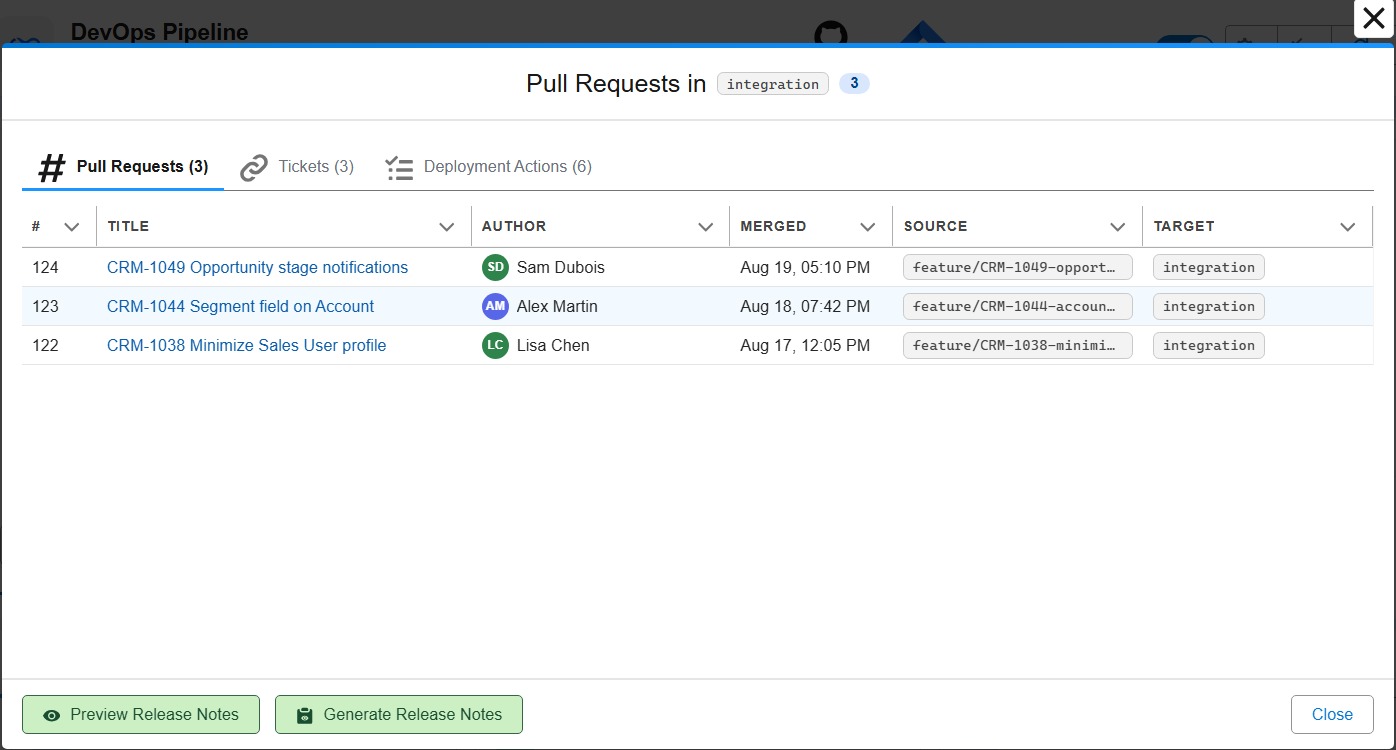
In the DevOps Pipeline panel of the VS Code SFDX Hardis extension, click a major branch to see what it contains: the merged Pull Requests, the related tickets and the deployment actions, with Preview Release Notes and Generate Release Notes buttons.
- Create a new Pull Request from the source major branch to the target major branch
- Set a meaningful title, like MAJOR: uat to preprod or MAJOR: preprod to production
- Make sure that Delete source branch after merge and Squash commits are UNCHECKED
- Submit the Pull Request
- The control jobs start automatically. They should pass, as the Pull Requests from the minor branches already passed them
- If a job fails, you usually need to perform manual actions in the target org, like activating a feature, or renaming elements when metadata API names have been renamed (a bad practice, but it happens)
- Check the deployment actions carried by the promotion: automated actions run by themselves at deployment time, and the manual steps still to perform are listed as checkboxes in the Pull Request comments
- Once all jobs succeed, merge the Pull Request
- The merge automatically triggers the deployment to the associated Salesforce org
- If your project publishes Release Notes, generate them from the major branch window of the DevOps Pipeline
For urgent fixes that cannot wait for the next promotion, see Hotfixes, then Retrofit.
Learn by doing
The free Salesforce DevOps with sfdx-hardis course does this, click by click, on an org of your own, in these labs:
- Lab 3.3 - Read the deployment log, and what .forceignore hides from it
- Lab 3.5 - Promote to UAT and write the release notes
- Lab 3.6 - Release to production and read your DORA metrics