Email Integration
You can receive notifications at one or several email addresses when sfdx-hardis events happen:
- Deployment from a major branch to a major Salesforce org (e.g. integration git branch to Integration org)
- Salesforce Org Monitoring
- Latest updates
- Failing Apex tests
- Monitoring checks notifications
Note: Salesforce email sending capabilities are used, so every email counts against the daily email limit of your org.
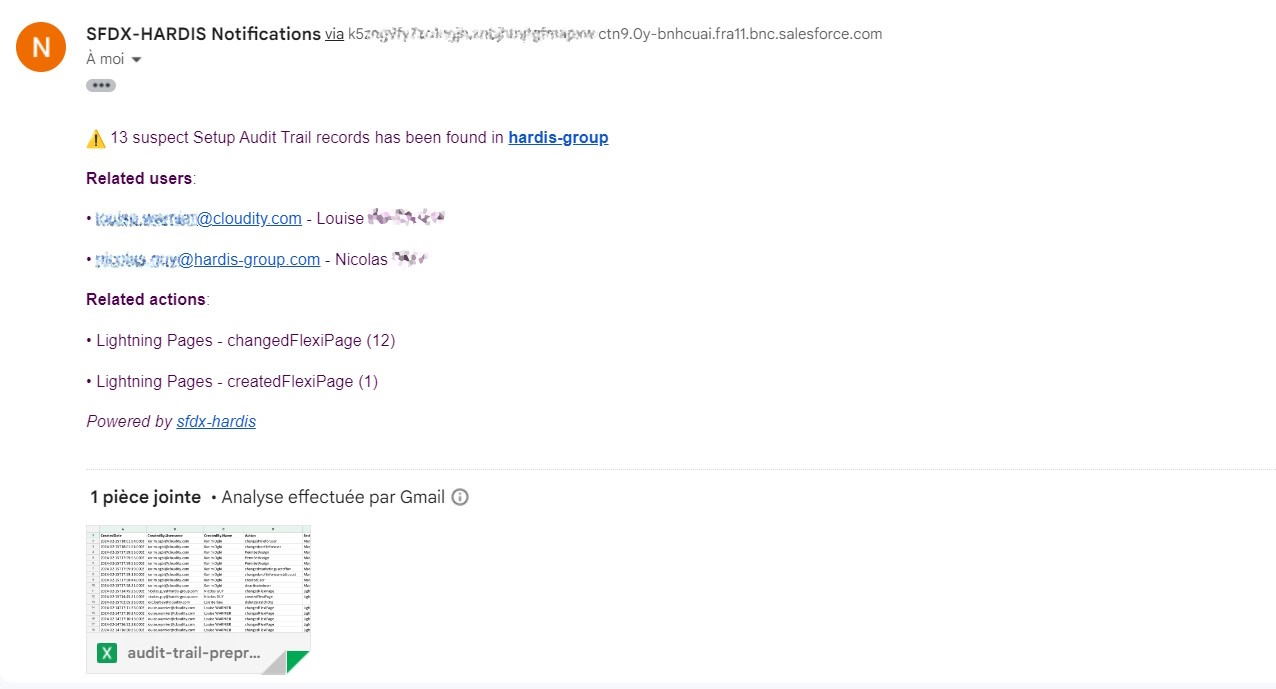
Configuration
Define the CI/CD variable NOTIF_EMAIL_ADDRESS with the recipient address(es).
Examples:
NOTIF_EMAIL_ADDRESS=admin@cloudity.comNOTIF_EMAIL_ADDRESS=admin@cloudity.com,another.user@cloudity.com,nico@cloudity.com
An address is not enough to receive every notification: each notification type is sent by email from a severity of its own, and many monitoring checks are Disabled or Error by default for the email channel, so an org with nothing wrong sends no email. Change it per check in the Email column of the Monitoring Config Workbench of the VS Code extension, or with notificationConfig in .sfdx-hardis.yml (see Monitoring configuration). When no email arrives, the job log says why: Skipped email notification for <TYPE> (severity ..., threshold ...) or Sent email to ....
You can also target additional recipients per branch (NOTIF_EMAIL_ADDRESS_<BRANCH>) or per notification type (NOTIF_EMAIL_ADDRESS_<TYPE>), e.g. NOTIF_EMAIL_ADDRESS_AUDIT_TRAIL=security@cloudity.com.
Per notification type recipients (YAML)
In addition to the env-var-based recipients above, you can configure email recipients directly in .sfdx-hardis.yml per notification type, with optional severity threshold. This is useful to redirect a specific notification (e.g. AUDIT_TRAIL, UNSECURED_CONNECTED_APPS) to a dedicated mailing list without polluting the main recipients.
monitoringCommands:
  - key: AUDIT_TRAIL
    notifications:
      email:
        threshold: warning           # only warning / error / critical
        recipients:
          - security@company.com
          - audit-team@company.com
        replaceRecipients: true      # ignore env-var recipients for this type
  - key: BACKUP
    notifications:
      email:
        recipients:
          - devops@company.com       # appended to env-var recipients
See Monitoring configuration for the full per-channel routing model.
Troubleshooting
If the emails are not sent, apply the following configuration in the settings of the Monitoring / Deployment user:
- Send through Salesforce
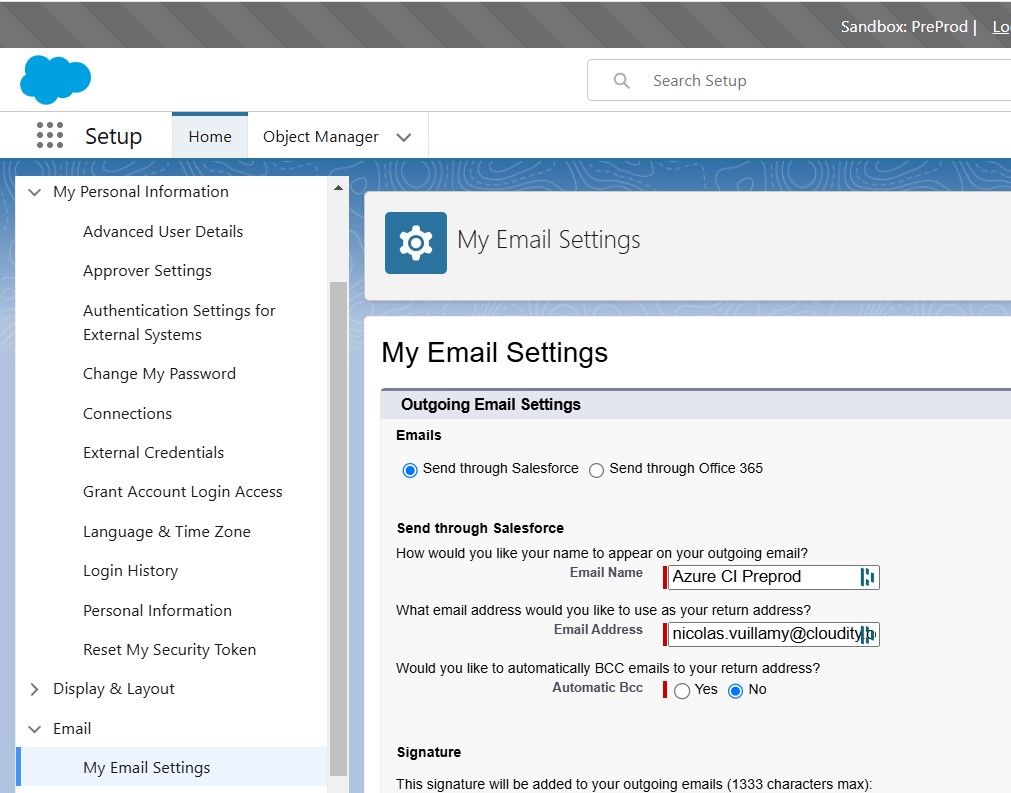
That's all, you're all set.
Learn by doing
The free Salesforce DevOps with sfdx-hardis course does this, click by click, on an org of your own: