Major branch deployment check (optional)
Major branch deployment check (optional)
An org drifts from its branch: a change made by hand in the org, a sandbox refresh, a deployment that failed half way. Nobody notices until the next Pull Request into that branch fails its deployment check, for a reason that has nothing to do with it.
The major branch deployment check finds it first. A job scheduled every night simulates the full deployment of each major branch (integration, uat, preprod, main...) to its own org:
- a green job: the org can receive its branch
- a red job: the org has drifted, and the log says which components do not deploy
What the job does
The job runs sf hardis:project:deploy:smart --check --major-branch-check on a major branch:
- Nothing is deployed: it is a deployment simulation, with the Apex tests of the branch config.
- The deployment is always full: no delta, even with
useDeltaDeployment. - No Pull Request is read: the Pull Request merged last on the branch gets no comment, and no deployment action is run, since they all ran when the branch was deployed.
- The org is the one of the branch config (
config/branches/.sfdx-hardis.BRANCHNAME.yml). On a branch without branch config, the job fails at once.
Schedule the job
The default CI/CD files of sfdx-hardis hold the job. Projects created before it existed can copy it from the templates.
| CI/CD platform | Job | Schedule |
|---|---|---|
| GitLab | check_deploy_to_current_branch_org in .gitlab-ci.yml |
CI/CD > Schedules: one schedule per major branch (ex: every night at 1am) |
| GitHub Actions | Workflow .github/workflows/check-major-branch-deploy.yml |
Already scheduled every night. It reads the major branches from config/branches of the default branch and checks them all. Add the secrets of every major branch to its job, like in check-deploy.yml |
| Azure Pipelines | Pipeline created from azure-pipelines-major-branch-check.yml, named Check Major Branch Deployment |
In the pipeline Triggers, add a Scheduled trigger that includes all the major branches |
| Bitbucket | Custom pipeline check-major-branch-deployment in bitbucket-pipelines.yml |
Pipelines > Schedules: one schedule per major branch, on the custom pipeline check-major-branch-deployment |
| Jenkins | Stage Check Major Branch Deployment of the Jenkinsfile |
A dedicated Jenkins job on the Jenkinsfile, scheduled every night, that sets the environment variable MAJOR_BRANCH_DEPLOYMENT_CHECK=true. The commit status it posts must contain "major branch check": a multibranch job posts a generic one, so set a custom status name in the job |
On GitLab, a job started with Run pipeline on a major branch also runs deploy_to_org: to check a branch by hand without deploying it, play its schedule instead.
See the result in VS Code
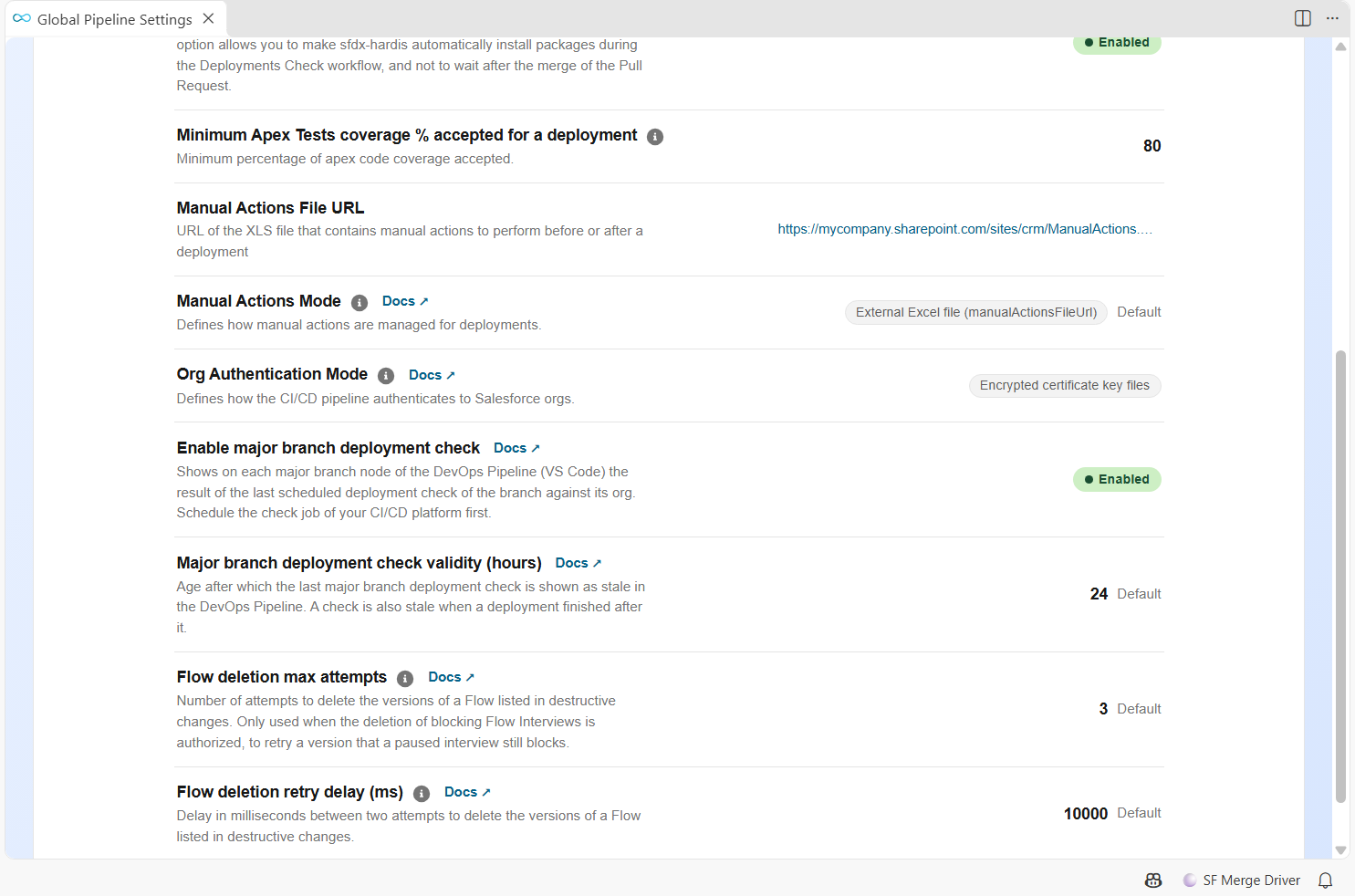
Define in config/.sfdx-hardis.yml:
enableMajorBranchDeploymentCheck: true
majorBranchDeploymentCheckValidityHours: 24 # optional, 24 by default
The DevOps Pipeline then colors each major branch with its last check:
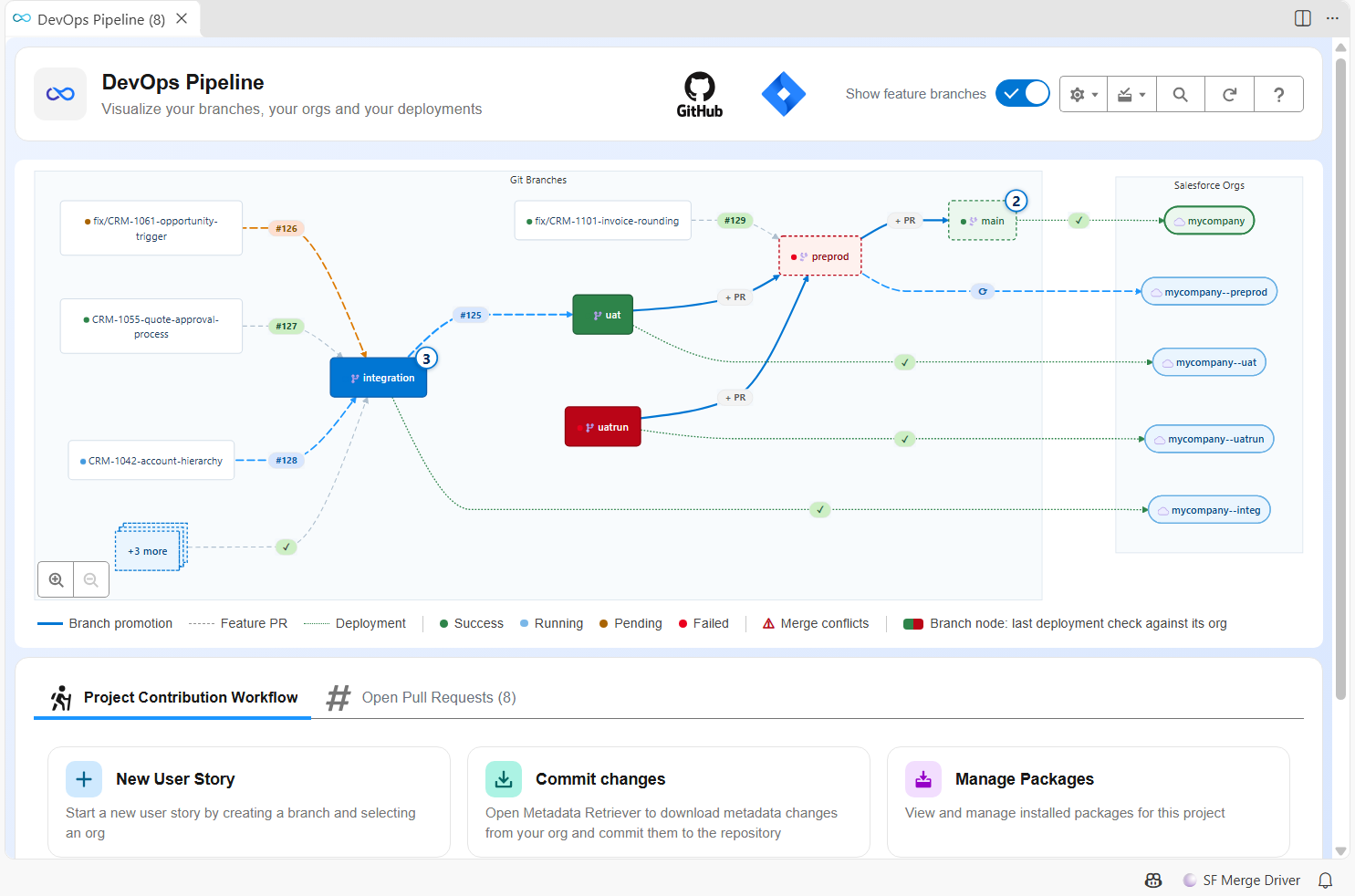
| Branch node | Meaning |
|---|---|
| Green | The last check succeeded: the org can receive its branch |
| Red | The last check failed: the org has drifted from its branch |
| Blinking | A check is running |
| Dimmed, dashed | The last check is stale: older than majorBranchDeploymentCheckValidityHours, or a deployment ran after it |
| Usual color | No check found for this branch |
Click the branch, then the last tab of its window, to see the check: status, date, duration, and a link to the job.
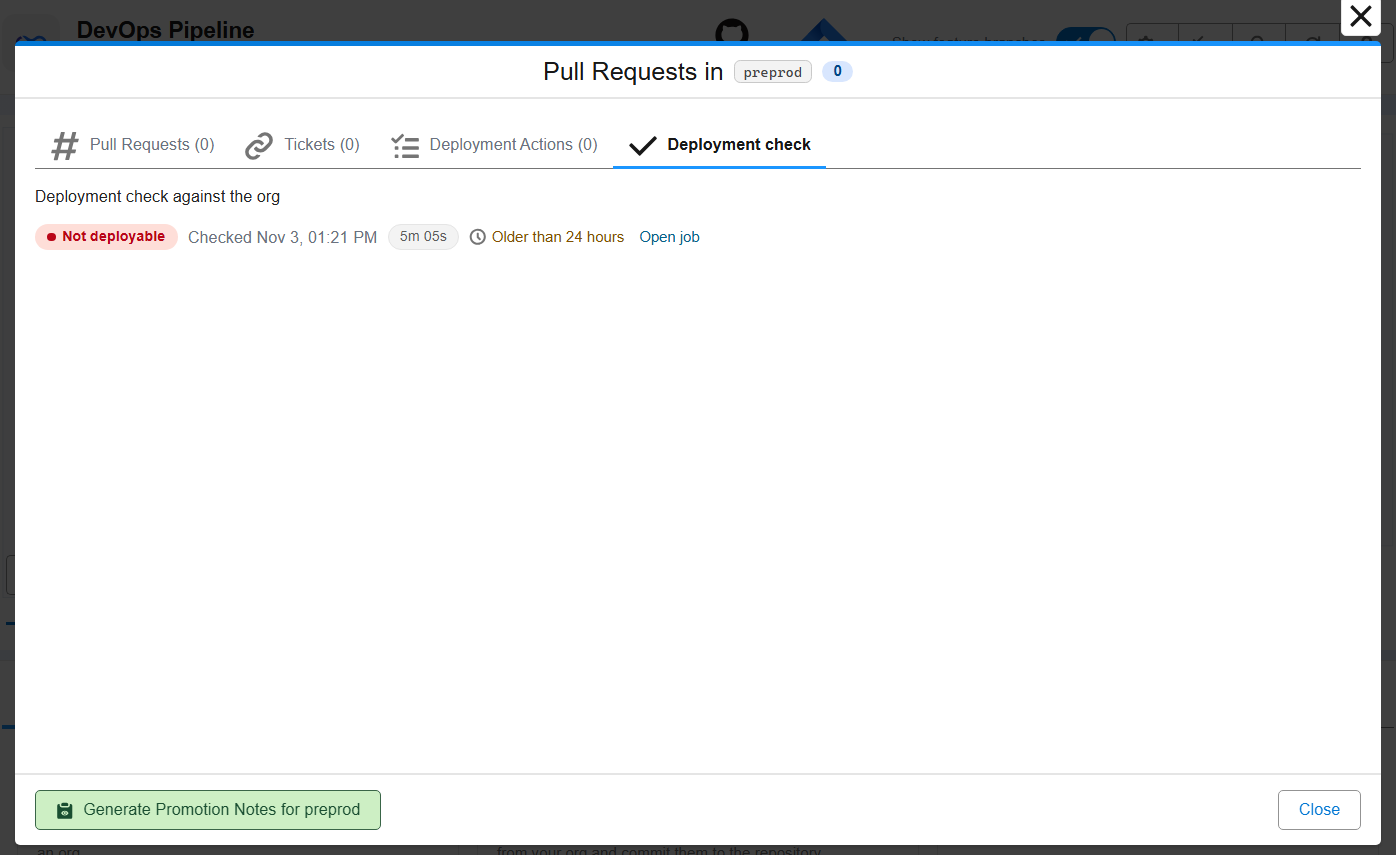
The arrow from a branch to its org keeps showing the last deployment, triggered by a merge: a scheduled check, or any pipeline started by a schedule or through the API, does not change it.
Both settings can also be edited in Pipeline Settings, in the Deployment section.
Renamed jobs
The DevOps Pipeline finds the check by the name of its job: it must contain "major branch" or "current branch", and "check". check_deploy_to_current_branch_org, Check Major Branch Deployment (uat) or check-major-branch-deployment are found, nightly_validation is not.