Security Health Check
Security Health Check
Salesforce provide a Security Health Check feature to analyze the security settings of your org, and compare them to Salesforce recommended values, or to a custom baseline.
The command reads the Salesforce Security Health Check report and summarizes how your org compares to the baseline across these areas:
- Session security hardening (clickjack/CSRF protections, CSP and content sniffing guards, session timeouts, domain/IP/session locking, login-as-user controls, MFA/email verification prompts).
- Password policies (complexity, history, length, rotation, lockout thresholds, secret-answer handling, minimum lifetime).
- Access exposure (default external access, guest user object permissions, admin login-as policy, lookup-name visibility restrictions).
- External surfaces (remote site entries, redirects to untrusted URLs, risky file types handling).
- Certificates and keys (expiration, key strength, expired artifacts).
The list can be extended in the future according to Salesforce Health Check capabilities.
Sfdx-hardis command: sf hardis:org:monitor:health-check
Key: ORG_HEALTH_CHECK
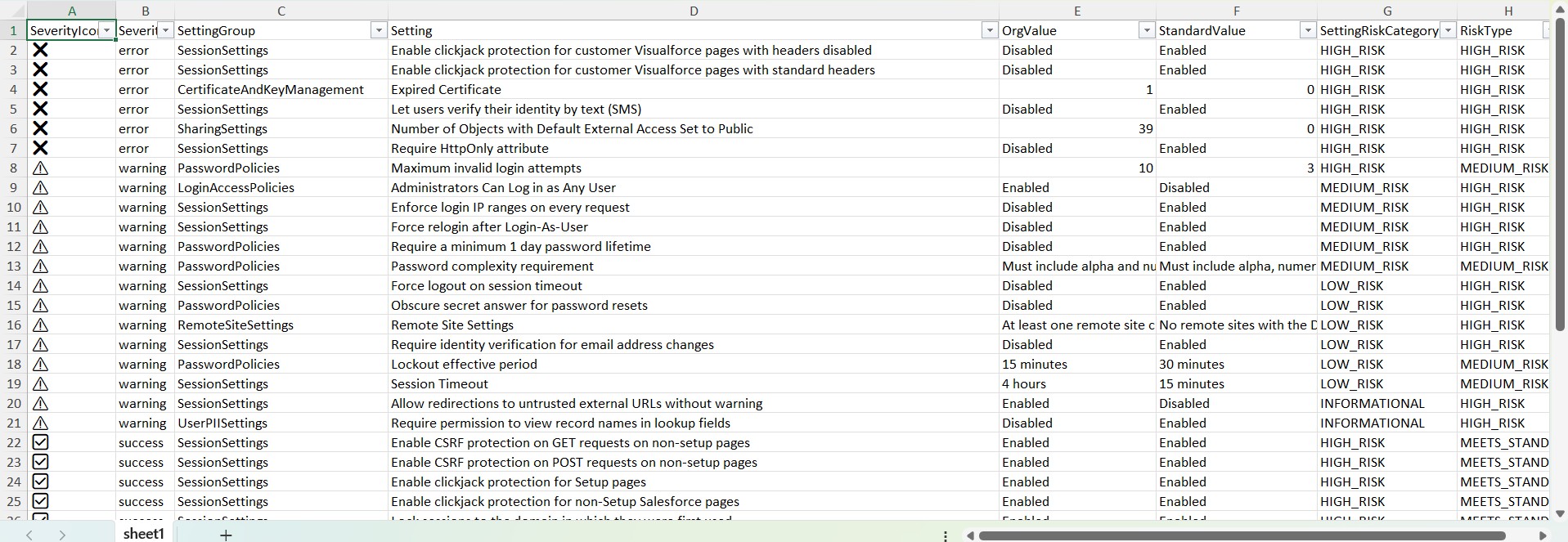
Excel report example
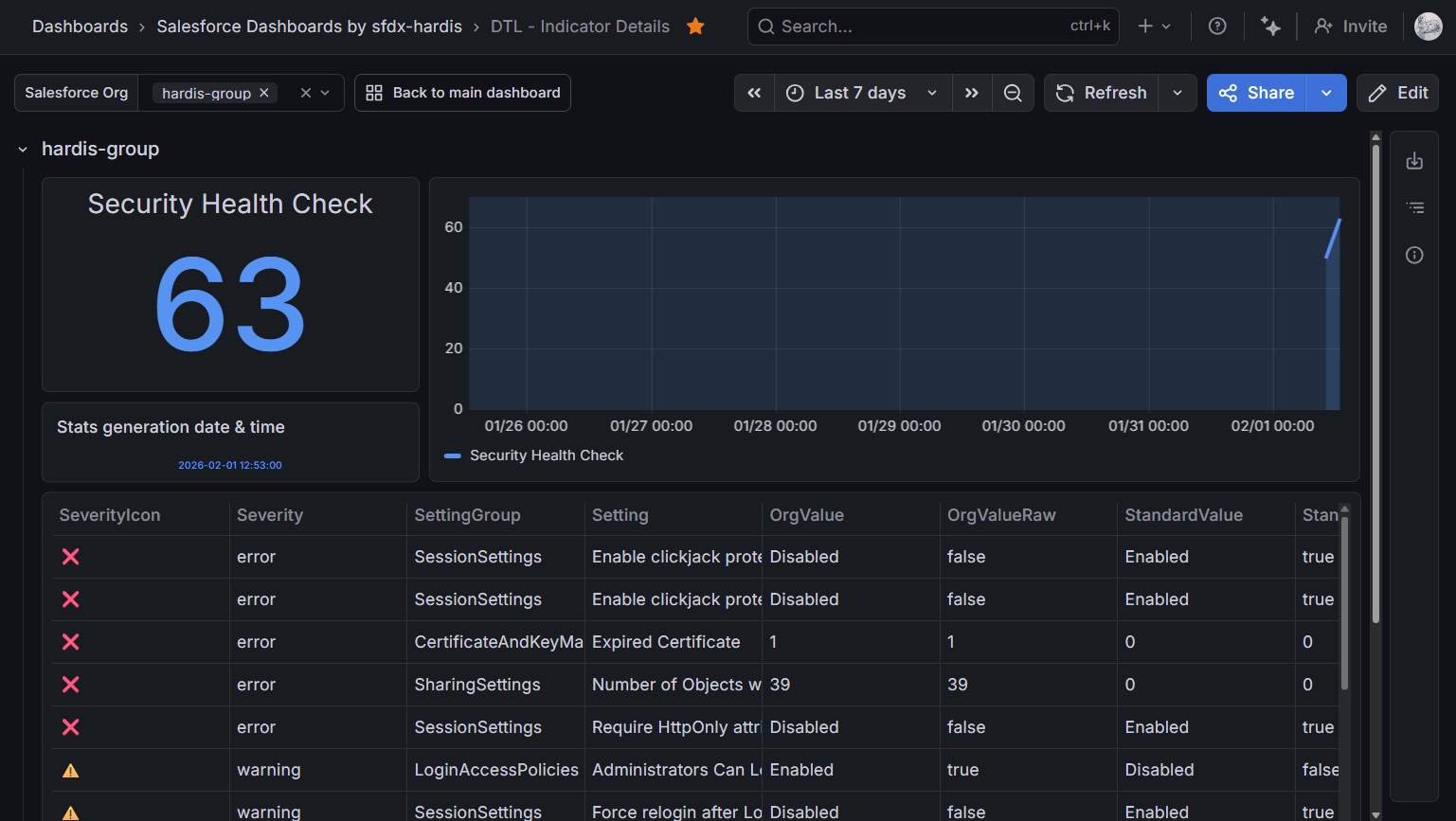
Grafana example
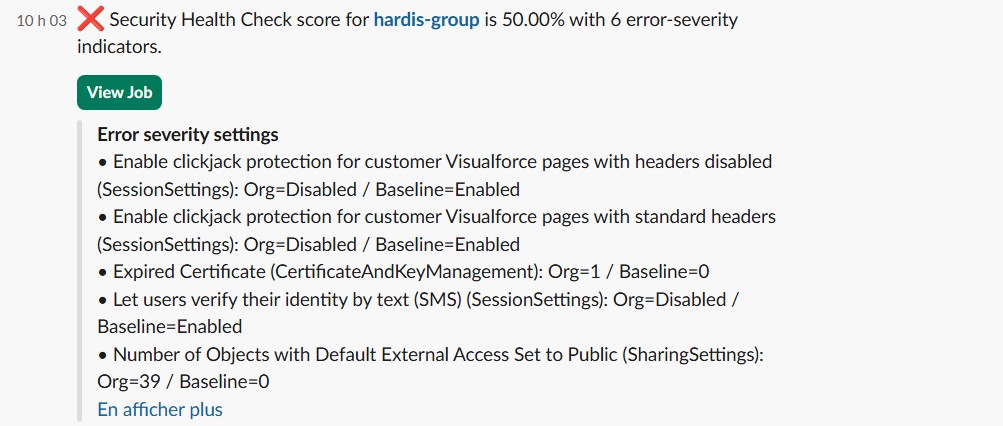
Slack example